
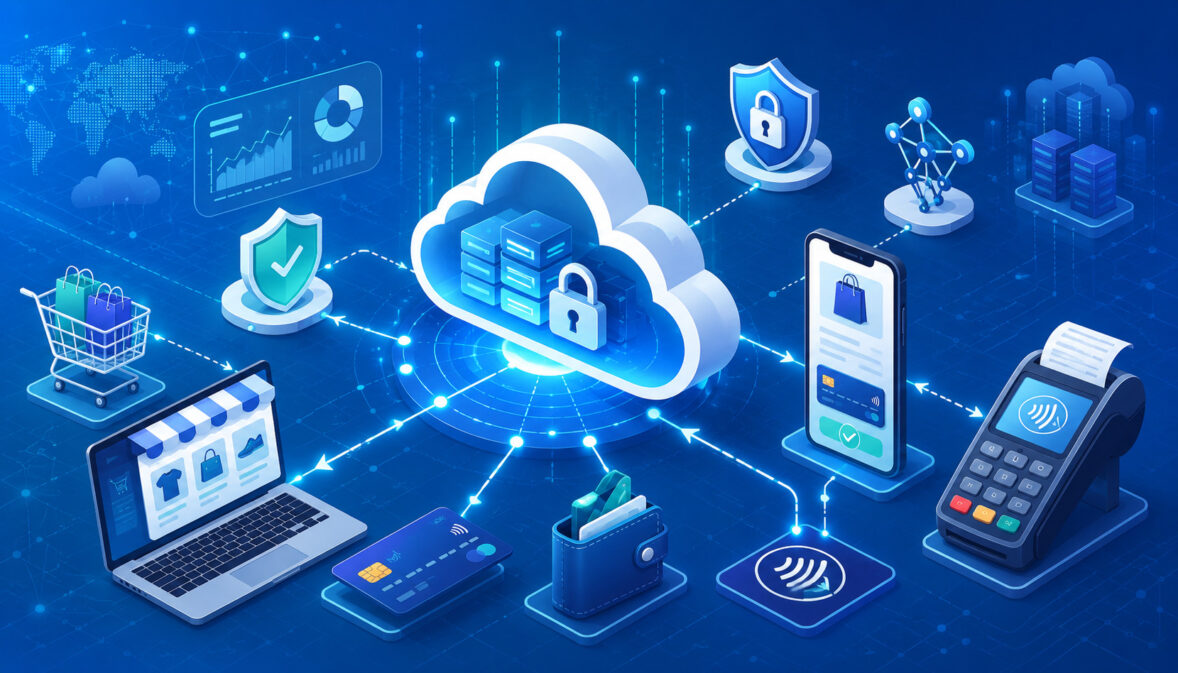
Cloud-based payment gateways are now a core part of how businesses accept payments online, through mobile checkout, through invoices, through payment links, and across connected sales channels.
Whether a customer is buying from an eCommerce store, paying a service invoice, subscribing to software, or checking out through a digital storefront, the gateway helps move payment information securely from the customer to the parties that approve and process the transaction.
A payment gateway matters because it sits at a critical point in the payment workflow. It helps collect payment details, protect sensitive information, request payment authorization, return approval or decline responses, and support the reporting needed after the sale.
For businesses, this means the gateway is not only a checkout tool. It also affects fraud controls, settlement visibility, refunds, chargebacks, customer experience, and payment reconciliation.
Cloud-based payment gateways are especially useful because they are hosted through cloud infrastructure rather than being fully managed through local servers or older on-premise systems. This can make payment tools easier to access, update, integrate, and scale.
A business may use a cloud payment gateway for online payment processing, subscription billing, invoice payments, mobile checkout, card-on-file transactions, or a cloud POS payment gateway connected to in-person sales.
This guide explains what cloud-based payment gateways are, how they work, what features matter, how they compare with traditional payment setups, and how businesses can evaluate payment gateway solutions responsibly.
What Are Cloud-Based Payment Gateways?
Cloud-based payment gateways are payment gateway platforms hosted through cloud infrastructure that help businesses securely accept, authorize, route, and manage digital payments. They support payment activity across websites, mobile apps, online checkout pages, invoices, payment links, digital wallets, and connected business systems.
A cloud payment gateway does not replace every part of the payment processing system. It is one component in a broader payment workflow that may also involve a merchant account, payment processor, acquiring bank, issuing bank, card network, fraud tools, settlement systems, and reporting tools.
The gateway’s role is to help move payment information between the customer-facing checkout and the back-end systems that authorize and process the transaction.
For example, when a customer enters card information on a checkout page, the gateway securely collects or receives that data, applies security controls, sends the transaction for authorization, and returns the response to the business.
If the transaction is approved, the business can capture the payment and later reconcile it against settlement reports and bank deposits.
The “cloud-based” part means the gateway is not fully dependent on local infrastructure controlled by the business. Instead, the payment gateway platform is hosted and maintained through remote infrastructure. Businesses access it through dashboards, APIs, hosted checkout pages, embedded payment forms, mobile tools, reporting portals, and integrations.
This setup can help small business owners, eCommerce sellers, SaaS operators, service businesses, and finance teams use payment tools without building their own payment infrastructure from scratch.
It can also support faster updates, remote access, improved scalability, and easier payment gateway integration with websites, accounting systems, subscription tools, CRM platforms, and POS systems.
A cloud-based payment gateway should be viewed as a secure connection point between the customer’s payment method and the business’s payment processing workflow. It helps support credit card payments, debit card payments, digital wallets, ACH payments, invoice payments, recurring billing, refunds, voids, reporting, and fraud screening, depending on the setup.
How a Cloud Payment Gateway Works

A cloud payment gateway works by securely moving transaction data through several steps. The process begins when a customer starts checkout or submits payment through a website, mobile app, invoice, payment link, subscription portal, or cloud POS payment gateway.
The gateway helps collect the payment details, validate the transaction, send the authorization request, and return the result.
In a card transaction, the payment request generally travels from the gateway to the payment processor, then through card network routing, then to the issuing bank that holds the customer’s card account.
The issuing bank checks whether the transaction should be approved or declined. The response then moves back through the same general path until the business receives the result.
Approval does not always mean the money is immediately deposited. Authorization confirms that the transaction is approved at that point in the workflow. Capture and settlement are separate steps.
After an approved transaction is captured, it may be included in a batch for settlement. Later, the merchant deposit appears according to processing rules, banking timelines, fees, and other account settings.
A cloud-based payment processing setup can also support reporting throughout the workflow. The business may see authorization status, captured payments, refunds, chargebacks, settlement batches, deposit summaries, transaction fees, and reconciliation exports. These reports help finance teams match orders, payments, refunds, disputes, and bank deposits.
Customer Enters Payment Details
The payment workflow begins when the customer chooses how to pay. This may happen on an eCommerce checkout page, a mobile checkout screen, an invoice payment page, a payment link, a subscription signup form, or a digital payment gateway connected to a service booking form.
The customer may enter card details manually, select a digital wallet, use a stored payment method, submit ACH payment information, or approve a mobile payment.
If the gateway supports hosted checkout, the customer may be redirected to a secure payment page. If it supports embedded checkout, the customer may stay on the business’s website while secure payment fields collect the information.
At this stage, the gateway helps reduce exposure to sensitive data. Instead of the business storing raw card details, secure fields, tokenization, encryption, or hosted payment tools may be used to protect payment information. This is important because payment data is valuable and must be handled carefully.
Customer experience also matters here. Long forms, unclear errors, slow checkout pages, missing payment options, or confusing security prompts can create friction. A good online payment gateway supports a smooth checkout flow while still applying appropriate security controls.
The Gateway Sends the Authorization Request
After the customer submits payment, the gateway prepares the authorization request. This request includes transaction information such as payment amount, currency, merchant details, payment method data, billing details, and risk-related signals.
Depending on the setup, it may also include AVS results, CVV checks, device information, authentication data, or fraud scoring.
The gateway sends the request to the payment processor. The processor routes it through the appropriate payment network or banking channel. For card payments, the request typically moves through card network rails toward the issuing bank. For bank-based payments, the flow may follow a different path depending on the payment method.
The issuing bank or relevant approving party reviews the transaction. It may approve the request, decline it, request additional authentication, or return a specific response code. The response then travels back through the processor and gateway to the checkout system.
This entire authorization process usually happens quickly from the customer’s point of view, but many checks may occur behind the scenes. The secure payment gateway is responsible for moving data reliably, protecting transaction information, and returning the authorization result so the business knows what to do next.
The Transaction Moves Toward Settlement
Authorization is only one part of the payment lifecycle. Once a transaction is approved, the business may capture it immediately or later, depending on the business model and payment settings.
For example, some eCommerce businesses authorize a card when the order is placed and capture the payment when the item is ready to ship. Other businesses capture payment immediately.
After capture, the transaction moves into settlement. Settlement is the process that helps transfer funds through the payment system and eventually results in a merchant deposit. The timing can vary depending on payment method, processor rules, risk review, account settings, banking schedules, and whether any holds or adjustments apply.
Cloud-based payment gateways often provide settlement reports that show which transactions were included in a batch, which fees or adjustments were applied, and what amount may be deposited. These reports are important because the amount approved at checkout may not always match the final deposit after fees, refunds, chargebacks, or adjustments.
Businesses should treat settlement reporting as part of daily payment management. Matching gateway records to order records, refund records, dispute records, and bank deposits helps reduce accounting confusion and supports cleaner reconciliation.
Why Businesses Use Cloud-Based Payment Gateways

Businesses use cloud-based payment gateways because they need flexible, secure, and manageable ways to accept digital payments.
A modern business may sell through a website, send invoices, accept deposits, offer subscriptions, use mobile checkout, process in-store payments, and manage remote customer payments. A cloud payment system can help connect these workflows through a central payment gateway platform.
One major reason businesses use cloud payment gateway solutions is faster deployment. Instead of building a payment infrastructure from the ground up, a business can connect a gateway through hosted checkout pages, payment APIs, shopping cart plugins, invoice tools, or accounting integrations.
This helps businesses begin accepting payments while still relying on secure infrastructure designed for transaction processing.
Remote access is another advantage. Owners, managers, finance teams, and payment teams may need to review transactions, issue refunds, check settlement reports, monitor chargebacks, or export data from different locations. A cloud-based dashboard can make this easier than systems tied only to one physical office or local server.
Scalability also matters. As sales volume grows, a cloud payment processing setup can often support more transactions, more checkout channels, more users, and more integrations without requiring the business to rebuild its entire payment environment. This is useful for eCommerce growth, multi-location expansion, subscription billing, and seasonal sales increases.
Cloud gateways also support multiple payment methods. Depending on the gateway and merchant setup, businesses may accept credit card payments, debit card payments, digital wallets, ACH payments, invoice payments, recurring payments, payment links, and mobile payments. This flexibility can improve customer convenience and reduce payment friction.
Another reason businesses use cloud-based payment gateways is reporting. Real-time reporting, settlement reports, refund records, chargeback details, and exportable transaction data help teams understand payment activity. Better reporting supports reconciliation, cash flow planning, fraud review, and customer service.
Cloud-Based Payment Gateways vs Traditional Payment Setups

Cloud-based payment gateways differ from traditional or locally managed payment setups in how they are hosted, updated, accessed, integrated, and maintained.
A traditional payment setup may rely more heavily on local servers, older terminal-based workflows, manual software updates, limited reporting access, or custom infrastructure managed by the business or a local vendor.
A cloud-based gateway is hosted remotely and typically accessed through dashboards, APIs, hosted payment pages, mobile tools, or integrations.
Updates, security improvements, feature changes, and infrastructure scaling are often handled at the platform level. This can reduce the need for businesses to manage payment software directly on local machines.
However, this does not mean cloud-based payment gateways are automatically better for every business. Some businesses may have special requirements, legacy systems, industry-specific controls, or operational reasons to maintain more customized payment environments.
Others may prefer cloud-based payment processing because it supports easier integration, online payments, remote access, and faster updates.
One key difference is accessibility. Cloud gateways can usually be accessed from approved devices and locations, depending on permissions and security settings. Traditional setups may limit access to specific machines or networks.
Cloud access can help remote teams, but it also requires strong user permissions, secure passwords, multifactor authentication, and access monitoring.
Integration is another major difference. Cloud gateways often provide payment API access, shopping cart integrations, accounting exports, invoicing tools, and webhook support. Traditional systems may require more manual work or custom development to connect payment activity with business systems.
Security responsibility also differs. A cloud-based payment gateway may handle many security controls at the gateway level, but the business still has responsibilities. Staff access, refund permissions, website security, customer communication, fraud rule management, and reconciliation practices must still be handled carefully.
Cloud Payment Gateway Comparison Table
The following table compares cloud-based payment gateways with traditional or locally managed payment setups. The right choice depends on business needs, technical resources, compliance responsibilities, and payment workflow complexity.
| Feature | Cloud-Based Gateway | Traditional Setup | Business Impact | Key Consideration |
| Hosting | Hosted through cloud infrastructure | Often tied to local systems or older software | Cloud access can improve flexibility | Review uptime, access controls, and service reliability |
| Updates | Platform updates may be handled remotely | Updates may require local installation or vendor support | Cloud systems may reduce update delays | Confirm update communication and change management |
| Access | Dashboard and API access from approved locations | May be limited to specific devices or networks | Helpful for remote teams and finance users | Use role-based permissions and secure login controls |
| Integration | Often supports APIs, plugins, webhooks, and exports | May require custom or manual connection | Easier connection to websites and business systems | Check compatibility before setup |
| Scalability | Built to support changing transaction volume | May require infrastructure upgrades | Useful for growth and seasonal demand | Review limits, fees, and support capacity |
| Reporting | Real-time reporting and settlement dashboards may be available | Reporting may be more limited or manual | Improves reconciliation and payment visibility | Test reports before relying on them |
| Security Tools | May include tokenization, encryption, fraud filters, and secure checkout | Security varies by system design | Helps reduce exposure to sensitive data | Understand shared security responsibilities |
| Business Continuity | Less dependent on a single local server | Local failures can interrupt payment workflows | Cloud access can improve resilience | Review downtime procedures and backup workflows |
Core Features of Cloud-Based Payment Gateways
Cloud-based payment gateways can include many features, but not every business needs the same setup. The most important payment gateway features are the ones that support secure authorization, smooth checkout, reliable integration, fraud management, recurring payments, and accurate reporting.
A business should review features based on how it actually accepts payments. An eCommerce payment gateway may need checkout optimization, fraud filters, digital wallets, and order reconciliation.
A SaaS business may need recurring billing, stored payment credentials, retry logic, and subscription updates. A service business may need invoice payments, deposits, payment links, and card-on-file tools.
The following features are especially important when evaluating payment gateway solutions.
Secure Payment Authorization
Secure payment authorization is one of the core jobs of a payment processing gateway. When a customer submits payment, the gateway helps send transaction data to the payment processor and returns the approval or decline response to the business.
This process must be fast, reliable, and protected. If authorization is slow, customers may abandon checkout. If authorization responses are unclear, staff may not know whether to fulfill an order. If transaction data is not protected, the business may face serious security and trust issues.
A secure payment gateway should support encrypted transmission, proper validation, response code handling, fraud screening, and clear transaction status. It should also support authorization-only and authorization-plus-capture workflows where appropriate.
For businesses that ship physical goods, delayed capture may be useful. For digital products, immediate capture may be more common. For services, deposits or partial payments may require a different workflow.
Hosted and Embedded Checkout Options
Hosted checkout and embedded checkout are two common ways customers submit payment information. Hosted checkout sends the customer to a secure payment page managed by the gateway or payment platform. Embedded checkout allows customers to remain on the business’s website while secure payment fields collect the payment information.
Hosted checkout can simplify setup and may reduce the amount of sensitive payment data that touches the business’s website. It can be helpful for smaller businesses, invoice payments, payment links, and teams that want a simpler security model.
Embedded checkout can create a more controlled customer experience because the payment form appears within the business’s checkout flow. However, it may require more careful implementation, stronger website security, and deeper integration work.
Neither option is automatically best. Hosted checkout may be easier to manage, while embedded checkout may offer more design control. Businesses should consider customer experience, PCI compliance responsibilities, technical resources, conversion goals, and fraud controls before choosing.
Payment API Integration
Payment API integration allows businesses to connect payment functions to websites, mobile apps, order systems, subscription tools, accounting software, CRM platforms, ERP systems, and custom dashboards.
APIs are important because payments rarely happen in isolation. They connect to orders, customers, invoices, shipping, tax records, refunds, reporting, and reconciliation.
A good payment API should support secure authentication, clear documentation, test environments, webhook notifications, idempotency, error handling, refund actions, payment status updates, and reporting access. Developers should be able to test transactions before going live.
For non-technical business owners, API quality may still matter even if they never write code. Poor API support can create integration delays, reporting gaps, duplicate charges, failed updates, or manual workarounds.
Businesses should ask whether the gateway integrates with their existing website platform, shopping cart, mobile app, subscription platform, POS system, and accounting tools.
Tokenization and Encryption
Tokenization and encryption help protect sensitive payment information. Encryption transforms data so it cannot be easily read without the correct cryptographic process. Tokenization replaces sensitive payment details with a token that can be used for future payment actions without exposing the original payment data.
For example, a subscription business may need to charge a customer every billing cycle. Instead of storing the customer’s full card number, the system can store a token. The gateway uses the token to process future payments while reducing exposure to raw payment information.
Tokenization can support recurring billing, card-on-file transactions, saved payment methods, customer portals, and repeat purchases. Encryption helps protect payment data when it is transmitted or stored within approved systems.
These tools do not remove every security responsibility, but they can reduce risk when implemented correctly. Businesses should avoid storing sensitive payment details in spreadsheets, emails, customer notes, or unapproved systems.
Fraud Detection Tools
Fraud detection tools help businesses identify suspicious transactions before they become losses, disputes, or chargebacks. A cloud payment gateway may include fraud filters, AVS checks, CVV verification, velocity rules, risk scoring, device signals, address review, transaction limits, and 3D Secure authentication.
AVS helps compare billing address information. CVV checks help confirm that the customer has access to the card security code. Velocity rules can flag repeated attempts from the same card, device, account, or IP address. Risk scoring can combine multiple signals to estimate whether a transaction looks suspicious.
Fraud tools should be used carefully. If rules are too strict, legitimate customers may be declined. If rules are too weak, the business may face more fraud and chargebacks. The goal is not to block every unusual transaction automatically. The goal is to manage risk while protecting real customer purchases.
Businesses should review fraud outcomes regularly and adjust settings based on chargebacks, false declines, product type, customer behavior, and transaction value.
Recurring Billing and Subscription Support
Recurring billing is important for SaaS operators, membership businesses, service subscriptions, digital product sellers, and any business that charges customers on a schedule.
A cloud-based payment gateway may support stored payment credentials, automatic billing cycles, subscription plans, payment retries, failed payment notices, account updates, and cancellation workflows.
Subscription payments can fail for many reasons. Cards expire, banks decline transactions, customers change accounts, fraud rules trigger, or billing details become outdated. A good recurring billing setup should help manage failed payments without creating unnecessary customer frustration.
Features such as retry logic, payment update links, customer notifications, and clear subscription records can help reduce avoidable revenue loss. However, no gateway can guarantee every recurring payment will succeed.
Businesses should also review how subscription changes are handled. Plan upgrades, downgrades, pauses, prorations, cancellation requests, and refund policies should be documented and connected to the payment workflow.
Reporting and Reconciliation Tools
Reporting and reconciliation tools help businesses understand what happened after payment. A strong payment gateway platform should provide transaction reports, settlement reports, refund reports, chargeback reports, authorization reports, customer payment records, and exportable data.
These reports support finance teams, customer support teams, managers, and owners. For example, support staff may need to confirm whether a refund was issued. Finance teams may need to match settlement batches to bank deposits. Managers may need to review payment failures or chargeback trends.
Real-time reporting can help teams identify issues quickly. Settlement reports can explain deposits. Refund and dispute reports can show adjustments. Export tools can reduce manual entry into accounting systems.
Good reporting should be searchable, filterable, and clear. If a gateway makes it hard to match payments to orders, reconciliation becomes slower and more error-prone.
Payment Gateway Security and Compliance Considerations
Security is central to payment gateway selection because payment data is sensitive, fraud risk is real, and customer trust is difficult to rebuild once damaged. A secure payment gateway should support strong technical controls, but businesses must also manage their own processes carefully.
Important security considerations include PCI compliance, encryption, tokenization, secure checkout, access controls, user permissions, audit logs, fraud monitoring, password practices, data minimization, vendor review, and staff training. Security is not only a technology issue. It is also an operational discipline.
Businesses should understand what the gateway handles and what remains their responsibility. For example, a hosted checkout page may reduce exposure to raw card data, but the business may still need to secure admin accounts, protect API keys, review refund permissions, monitor suspicious activity, and keep website software updated.
Data minimization is especially important. Businesses should only collect and store what they need. Sensitive payment details should not be saved in emails, customer support notes, shared documents, or unapproved databases.
This section is educational and general. Businesses should consult qualified professionals when they need compliance, legal, accounting, or security advice for their specific situation.
PCI Compliance Basics
PCI compliance refers to security requirements for organizations that store, process, or transmit cardholder data. Businesses that accept card payments should understand their responsibilities, even when they use a third-party gateway.
A gateway may reduce the amount of card data a business handles, especially when using hosted checkout, hosted fields, tokenization, or secure redirects. However, reducing scope is not the same as having no responsibility. The business still needs to follow required processes for its payment environment.
Responsibilities may include completing appropriate security validation, maintaining secure systems, controlling access, using approved payment tools, protecting passwords, monitoring vendors, and keeping payment workflows documented.
The exact requirements can vary based on how payments are accepted, how the checkout is integrated, how data flows, and which systems touch payment information. Businesses should avoid assuming that using a cloud gateway automatically satisfies every security obligation.
Protecting Customer Payment Data
Protecting customer payment data begins with reducing unnecessary exposure. Businesses should avoid storing full card numbers, security codes, or sensitive bank details unless they have a specific approved reason and the required controls.
A cloud payment system can help by using tokenization, encryption, secure payment forms, hosted checkout pages, and payment vaulting. These tools can reduce the amount of sensitive information handled directly by the business.
Customer data can also be exposed through poor operational habits. Staff may copy payment details into notes, send screenshots through email, export reports with too much information, or store files in unsecured locations. These practices increase risk even if the gateway itself is secure.
Businesses should create internal rules for payment data handling. Staff should know what they may collect, where they may enter it, who may access it, and what must never be stored.
Access Controls and User Permissions
Access controls determine who can view, change, refund, export, or manage payment activity. A cloud-based payment gateway may allow multiple users, roles, permissions, and dashboard settings. These controls should be configured carefully.
Not every employee needs access to every payment tool. A cashier may need to view transaction status. A manager may need refund permissions. A finance user may need settlement reports. An owner or administrator may need gateway settings. Giving everyone full access increases risk.
Role-based access helps limit mistakes and misuse. Multifactor authentication, strong passwords, access reviews, audit logs, and user removal procedures are also important. When an employee changes roles or leaves the business, access should be updated promptly.
Refund permissions deserve special attention. Unauthorized refunds, incorrect adjustments, and account setting changes can create financial loss. Businesses should assign sensitive permissions only to trained users.
Common Payment Methods Supported by Cloud Payment Gateways
Cloud payment gateways may support several payment methods depending on the gateway, merchant account, processor, industry, business model, and integration. Common options include credit cards, debit cards, digital wallets, ACH payments, bank payments, payment links, invoice payments, card-on-file transactions, subscription payments, and mobile payments.
A business should not assume every gateway supports every method in the same way. Some gateways may support online card payments but not ACH payments. Others may support recurring billing but not advanced subscription updates. Some may support digital wallets only in specific checkout formats.
Payment method selection affects customer experience, fees, risk, settlement timing, refunds, and reconciliation. For example, card payments may be familiar and fast, while bank-based payments may work well for certain invoice or recurring billing scenarios. Digital wallets can improve mobile checkout by reducing typing.
Businesses should choose payment methods based on customer preferences, transaction size, sales channel, risk level, fulfillment timing, and accounting needs.
Card Payments
Card payments are one of the most common payment methods supported by cloud-based payment gateways. A customer enters card details or uses a saved card, and the gateway helps request authorization through the payment processor and card network.
The transaction may be authorized, declined, or flagged for additional review. If approved, the business can capture the payment and include it in settlement. Later, the transaction appears in settlement reports and eventually connects to the merchant deposit.
Card payments can support eCommerce checkout, mobile payments, invoices, payment links, subscriptions, deposits, and in-person payments through connected POS tools. However, they also require attention to fraud prevention, chargebacks, refunds, and payment data security.
Businesses should review how the gateway handles card authorization, capture timing, voids, refunds, card-on-file use, digital wallets, dispute records, and reconciliation.
Digital Wallets
Digital wallets allow customers to pay using stored credentials through a wallet-enabled device or account. They can reduce typing, speed up mobile checkout, and make repeat purchases easier.
For mobile users, digital wallets can improve checkout optimization because customers may not want to manually enter card numbers, billing addresses, and security details on a small screen. A wallet flow can reduce friction while still using secure authentication methods.
Digital wallets can also help reduce some data exposure because payment credentials may be tokenized. However, businesses still need secure checkout design, clear order confirmation, refund handling, and fraud monitoring.
A gateway that supports digital wallets should be tested across devices and browsers. Businesses should confirm that wallet buttons display correctly, shipping details flow properly, order records update accurately, and customers receive clear confirmations.
ACH and Bank Payments
ACH and bank payments may be useful for invoices, recurring billing, larger transactions, account-based payments, or businesses that want alternatives to card payments. A cloud payment gateway may support bank-based payment options depending on the merchant setup and payment platform.
Bank payments can work well for certain service businesses, B2B invoices, memberships, tuition-style billing, subscription payments, and recurring account payments. However, bank payments may have different timing, return rules, verification steps, and reconciliation needs than card payments.
Businesses should review authorization requirements, customer permission records, account verification options, return handling, settlement timing, and reporting. Failed bank payments may occur due to insufficient funds, closed accounts, incorrect account details, or revoked authorization.
A cloud payment gateway should make bank payment status clear so staff do not treat a pending payment as fully settled too early.
Payment Links and Invoices
Payment links and invoices help businesses accept payments without a full eCommerce checkout. A service provider, consultant, contractor, repair business, or remote seller can send a secure link that allows the customer to pay online.
This can be useful for deposits, balances due, custom orders, professional services, appointments, and remote sales. The customer opens the link, reviews the amount, enters payment details, and receives confirmation after payment.
Invoice and payment link tools should include clear descriptions, due dates, customer details, payment status, partial payment settings if needed, and reporting. Businesses should confirm whether links can expire, whether amounts can be edited, and how payments match to customer records.
Payment links are convenient, but they should still follow secure practices. Staff should avoid sending payment requests through suspicious channels or unclear messages that customers may mistake for scams.
Cloud Payment Gateway Integration Options
Cloud payment gateway integration connects payment activity with the systems a business already uses. This may include websites, shopping carts, mobile apps, POS systems, accounting software, CRM tools, ERP systems, subscription platforms, invoicing tools, customer portals, and reporting dashboards.
Integration matters because disconnected payment systems create manual work. If payments do not connect to orders, customer records, invoices, deposits, or accounting tools, teams may spend hours matching records by hand. Manual entry can lead to mistakes, delayed reconciliation, missing refunds, duplicate records, and poor customer service.
A good integration should support accurate data flow. Order numbers, customer names, payment status, refund activity, settlement batch details, fees, and dispute information should be easy to track. Webhooks and APIs can help systems update automatically when payment events occur.
Before choosing a gateway, businesses should list every system that needs payment data. This includes the website, checkout page, accounting platform, order management system, subscription billing tool, POS system, CRM, reporting dashboard, and bank reconciliation workflow.
eCommerce Website Integration
An eCommerce website integration connects the online store’s checkout with the payment gateway. The integration should support cart totals, taxes, shipping details, discounts, customer records, payment confirmation, order status, refunds, and transaction reporting.
A reliable eCommerce payment gateway should return clear payment status to the store. If payment is approved, the order should be marked correctly. If payment is declined, the customer should receive a clear message and an opportunity to try another payment method.
Testing is important before launch. Businesses should test successful payments, declines, refunds, voids, partial refunds, abandoned checkout recovery, digital wallet flows, mobile checkout, and order confirmation emails.
A poor integration can create serious issues. Orders may appear unpaid when payment succeeded. Payment may be captured without an order record. Refunds may not sync. Customers may receive duplicate confirmations. Testing reduces these risks.
POS and Omnichannel Integration
Businesses that sell both in person and online may need POS and omnichannel integration. A cloud POS payment gateway can help connect in-store and digital payment activity so managers can see sales across channels.
Omnichannel integration is useful for retailers, restaurants, service businesses, multi-location stores, and businesses that offer online ordering with in-person pickup. Payment data may need to connect with inventory, customer profiles, receipts, tips, refunds, and store-level reporting.
A disconnected setup can create confusion. A customer may buy online and return in store. A staff member may need to find the transaction quickly. A manager may need to compare online and in-person sales. Finance teams may need settlement reports by location or channel.
Businesses should review whether the gateway can support location-level reporting, channel tags, user permissions, refund controls, and consistent customer receipts.
Accounting and Reporting Integration
Accounting and reporting integration helps payment data flow into financial records. This can reduce manual entry and improve payment reconciliation. The goal is to match sales, refunds, fees, chargebacks, settlement batches, and bank deposits more accurately.
A payment gateway platform may support exports, accounting software connections, reporting APIs, or settlement files. Finance teams should review whether reports include enough detail to reconcile deposits. Important fields may include transaction ID, order ID, customer name, gross amount, fees, refunds, chargebacks, batch ID, deposit date, and net amount.
Not all reporting formats are equally useful. A report that shows transaction approvals but not settlement batches may not be enough for accounting. A report that shows deposits but not related refunds may create gaps.
Businesses should test reports before relying on them. Finance users should confirm that gateway data can support month-end close, tax records, dispute tracking, and cash flow review.
How Cloud-Based Payment Gateways Support eCommerce Checkout
Cloud-based payment gateways can shape the online checkout process in several ways. They affect checkout speed, payment options, security signals, mobile usability, saved payment methods, fraud screening, error handling, payment retries, and order confirmation.
A smooth checkout experience helps customers complete purchases without confusion. A slow or frustrating checkout can increase cart abandonment. Payment forms should be fast, mobile-friendly, secure, and easy to understand. Customers should know what they are paying, which payment methods are accepted, and what to do if payment fails.
Payment gateway features can support checkout optimization by offering hosted checkout pages, embedded checkout fields, digital wallets, autofill support, saved payment methods, and clear decline handling. A gateway may also support fraud tools that work in the background so legitimate customers are not interrupted unnecessarily.
Security signals also matter. Customers want to feel confident when entering payment information. Secure checkout pages, clear branding, professional design, and predictable payment flows can improve trust.
Reducing Checkout Friction
Reducing checkout friction means removing unnecessary obstacles from the payment process. Common friction points include too many form fields, slow page loads, unclear error messages, missing digital wallets, poor mobile design, forced account creation, and confusing payment steps.
A mobile payment gateway can help by supporting responsive checkout pages, digital wallets, autofill, saved payment methods, and fast authorization. Customers using phones should not have to zoom, retype information repeatedly, or guess which fields are required.
Clear errors are important. If a card is declined, the customer should receive a helpful message without exposing sensitive details. If billing information is missing, the form should highlight the issue clearly. If a wallet payment fails, the customer should be able to try another method.
Businesses should review checkout analytics and payment failure patterns. If many customers abandon at payment, the issue may be friction, missing payment methods, failed authentication, or technical errors.
Managing Payment Declines
Payment declines happen for many reasons. A customer may have insufficient funds, an expired card, incorrect billing information, a bank restriction, fraud screening issue, or authentication failure. A gateway cannot prevent every decline, but it can help businesses manage declines better.
Clear decline handling is important for customer experience. A vague message may frustrate customers. A helpful message can encourage them to check their details, use another card, try a digital wallet, or contact their bank.
Businesses should also review fraud rules. Overly strict settings can create false declines, which means legitimate customers are blocked. Too little screening can increase fraud and chargebacks. Teams should monitor decline codes, fraud filter results, and customer support complaints.
For subscriptions, failed payment workflows are especially important. Retry logic, payment update links, customer notices, and account status rules can help reduce avoidable cancellations.
Payment Settlement, Funding, and Reporting
Payment settlement, funding, and reporting happen after authorization. These steps are essential because a business needs to know which transactions were captured, which were settled, which fees were deducted, which refunds were issued, and which deposits reached the bank account.
A cloud-based payment gateway may show transaction status from authorization through settlement. It may also provide batch reports, deposit reports, fee summaries, refund reports, dispute records, and exportable files. These reports help finance teams understand the difference between gross sales and net deposits.
Settlement timing can vary. Card payments, bank payments, digital wallet payments, and other methods may follow different rules. Deposits may also be affected by weekends, banking schedules, account reviews, reserves, refunds, chargebacks, or processing terms.
Businesses should not rely only on sales totals from the website. Website sales, gateway transactions, settlement reports, processor reports, and bank deposits may not always match one-to-one because of fees, timing, refunds, voids, and disputes.
Settlement Reports
Settlement reports show which transactions were included in a settlement batch and what amount moved toward deposit. They may include gross payment amounts, fees, refunds, chargebacks, adjustments, batch IDs, deposit dates, and net totals.
These reports help businesses answer important questions. Which payments are included in this deposit? Which refunds reduced the deposit? Were fees deducted before funding? Did a chargeback affect the amount? Which orders match the batch?
A good settlement report should be easy to export, filter, and match to bank deposits. Finance teams should be able to connect transaction IDs, order IDs, customer records, and deposit records.
If settlement reports are unclear, reconciliation becomes harder. Businesses may waste time investigating differences between sales reports and bank deposits.
Matching Payments to Orders
Matching payments to orders is a core part of reconciliation. Every paid order should connect to a gateway transaction. Every refund should connect to the original payment. Every chargeback should connect to the customer record and order details. Every bank deposit should connect to settlement batches.
This matching process helps businesses catch errors. For example, an order may be marked paid but not captured. A refund may be issued in the gateway but not reflected in the order system. A chargeback may reduce a deposit without being recorded in accounting.
Cloud payment processing reports can help, but only if data flows correctly. Order IDs, invoice numbers, customer references, and transaction IDs should be passed consistently between systems.
Businesses should create a reconciliation routine. Daily or weekly review can prevent small mismatches from becoming larger accounting problems.
Refunds, Voids, and Chargebacks in Cloud Payment Gateways
Refunds, voids, reversals, and chargebacks are important parts of payment management. A cloud-based payment gateway may allow authorized users to void unsettled transactions, issue refunds after settlement, review disputes, and export chargeback reports.
A void usually applies before settlement. If a transaction has been authorized but not settled, voiding it may cancel the transaction before funds are captured or moved through settlement. This can be useful when an order is canceled quickly, entered incorrectly, or should not be fulfilled.
A refund usually applies after settlement. If the transaction has already settled, the business returns money to the customer through a refund. Refund timing can vary depending on payment method and bank processing. Partial refunds may also be available depending on the gateway and payment method.
Chargebacks are different. A chargeback occurs when a customer disputes a transaction through the card-issuing side. The business may need to provide evidence, such as order details, delivery confirmation, refund policy, customer communication, AVS/CVV results, authentication records, or usage logs.
Clear policies matter. Businesses should publish refund terms, communicate order details, provide accurate receipts, use recognizable billing descriptors, and keep documentation. Good documentation can help customer support and dispute response.
Gateway permissions also matter. Only trained users should issue refunds or manage disputes. Refund mistakes can be costly, and inconsistent policies can create customer confusion.
Benefits of Cloud-Based Payment Processing
Cloud-based payment processing offers several practical benefits for businesses that accept digital payments. These benefits include scalability, remote access, easier updates, flexible integrations, real-time reporting, multi-channel payment support, subscription billing tools, security features, customer convenience, and operational efficiency.
Scalability is one of the most important benefits. A business may start with a small online store and later add subscriptions, invoices, mobile checkout, digital wallets, or multiple locations. A cloud payment gateway can often support this growth without requiring a full infrastructure rebuild.
Remote access is also useful. Owners and finance teams can review payments, refunds, disputes, and settlement reports without being tied to one local machine. This can improve response time when issues arise.
Flexible integration is another benefit. A payment gateway platform may connect to websites, mobile apps, accounting tools, POS systems, subscription platforms, and reporting dashboards. This helps reduce manual work and improves visibility across the payment workflow.
Security tools can also be stronger in a cloud setup, especially when the gateway supports tokenization, encryption, secure checkout, fraud detection, access controls, and audit logs. However, businesses still need to manage their own users, policies, website security, and data handling practices.
Customer convenience is a major advantage. Digital wallets, saved payment methods, mobile checkout, payment links, invoice payments, and subscription billing can make payments easier for customers. Easier payment experiences can support better checkout completion, though they cannot eliminate every failure or decline.
Operational efficiency improves when payment data flows into reports, accounting systems, order tools, and customer records. Teams spend less time searching for information and more time managing the business.
Limitations and Risks to Consider
Cloud-based payment gateways have many benefits, but businesses should also understand the limitations and risks. No payment gateway can eliminate every payment failure, fraud attempt, chargeback, integration issue, or reporting challenge.
Fees are one area to review carefully. Businesses may pay transaction fees, gateway fees, monthly fees, chargeback fees, refund-related fees, cross-border fees, tokenization fees, API-related costs, setup costs, or integration costs. Advertised rates may not show the full cost of payment acceptance.
Downtime is another consideration. Cloud systems depend on platform availability, internet access, and connected systems. A gateway outage, website issue, network problem, or integration failure can interrupt payment acceptance. Businesses should understand uptime commitments, status pages, support procedures, and backup workflows.
Integration complexity can also create challenges. A gateway may appear easy to use but require development work to connect with existing systems. Poor integration can lead to duplicate charges, missing order updates, failed webhooks, refund sync issues, or reporting gaps.
Security responsibilities remain important. A gateway may provide secure tools, but businesses still need to protect admin access, API keys, website scripts, customer data, staff permissions, and refund workflows.
Vendor dependency is another risk. Once a business builds payment workflows around one gateway, changing systems can require migration planning. Token portability, reporting history, subscription records, and customer payment credentials should be reviewed before setup.
Cloud-Based Payment Gateway Feature Checklist
A practical checklist can help businesses compare payment gateway solutions responsibly. The goal is not to find the longest feature list. The goal is to find the features that match the business’s payment workflow.
| Feature Area | What to Review | Why It Matters |
| Payment Methods | Cards, digital wallets, ACH, bank payments, invoices, payment links | Supports customer payment preferences |
| Checkout Options | Hosted checkout, embedded checkout, mobile checkout | Affects setup complexity and customer experience |
| API Support | API documentation, test mode, webhooks, idempotency | Supports reliable payment gateway integration |
| Security Tools | Encryption, tokenization, secure fields, access controls | Helps protect sensitive payment information |
| Fraud Screening | AVS, CVV, velocity rules, risk scoring, authentication | Helps reduce suspicious payment activity |
| Recurring Billing | Stored credentials, retry logic, billing schedules | Supports subscriptions and memberships |
| Refund Tools | Full refunds, partial refunds, voids, permissions | Supports customer service and policy enforcement |
| Chargeback Reporting | Dispute records, evidence tools, status tracking | Helps manage payment disputes |
| Settlement Reports | Batch reports, deposit details, fee visibility | Supports reconciliation and cash flow review |
| Accounting Exports | CSV exports, accounting integration, reporting API | Reduces manual finance work |
| Uptime and Reliability | Availability history, support response, backup workflows | Reduces payment interruption risk |
| User Permissions | Role-based access, audit logs, admin controls | Limits mistakes and unauthorized activity |
| Integration Compatibility | Website, POS, CRM, ERP, subscription, invoice tools | Reduces operational gaps |
| Customer Support | Support channels, documentation, escalation process | Helps resolve payment issues faster |
How to Choose a Cloud-Based Payment Gateway
Choosing a cloud-based payment gateway should begin with the business model, not the feature list. A business should first define how it sells, who its customers are, which payment methods they prefer, what transaction volume is expected, what average ticket size looks like, and which systems need payment data.
Sales channels matter. An online store may need shopping cart integration and fraud tools. A service business may need invoice payments and payment links. A SaaS operator may need subscription billing and failed payment workflows. A retailer may need POS and online reporting connected in one place.
Security features should be reviewed carefully. Look for tokenization, encryption, secure payment forms, fraud tools, access controls, audit logs, and clear shared responsibility documentation. A secure payment gateway should help reduce risk, but the business must still follow good internal practices.
Reporting is also essential. Finance teams should test transaction reports, settlement reports, refund reports, chargeback exports, and accounting connections before relying on the gateway.
Total cost should include more than transaction pricing. Review gateway fees, monthly fees, refund handling, chargeback fees, integration work, support costs, hardware needs, and staff training.
Match the Gateway to Your Business Model
Different business models need different gateway features. An eCommerce store may prioritize secure checkout, digital wallets, fraud screening, shipping-related payment flows, and order reconciliation. A service business may need invoice payments, deposits, payment links, mobile-friendly forms, and card-on-file tools.
A SaaS company or subscription business may need recurring billing, retry logic, subscription updates, plan changes, proration handling, failed payment emails, and stored payment credentials. A marketplace may need more complex payment flows, seller records, split payment logic, and stronger identity checks.
Restaurants and retailers may need a cloud POS payment gateway that connects in-person and online orders. Multi-location businesses may need centralized reporting, location-level permissions, and settlement visibility by store.
The best gateway is the one that supports how the business actually accepts and manages payments.
Review Total Payment Costs
Total payment cost includes more than the rate shown on a pricing page. Businesses should review transaction fees, gateway fees, monthly fees, setup fees, chargeback fees, refund-related fees, statement fees, cross-border fees, tokenization charges, hardware costs, integration costs, and support costs.
Average ticket size matters. A small fixed fee can have a larger impact on low-ticket transactions. Percentage-based pricing can matter more for high-ticket sales. Subscription businesses should also review failed payment costs and account update tools.
Chargebacks can add cost beyond the disputed amount. Businesses may face dispute fees, lost goods, staff time, and higher risk scrutiny. Fraud tools and clear customer communication can help reduce avoidable disputes, but they do not remove chargeback risk entirely.
Before choosing a gateway, estimate total monthly costs using realistic transaction volume, average ticket size, refund rates, payment methods, and expected disputes.
Evaluate Reporting and Reconciliation Needs
Reporting should be tested before a gateway becomes part of daily operations. Finance teams should confirm that they can access transaction reports, settlement reports, refund records, dispute reports, fee details, and deposit summaries.
Reconciliation needs vary by business. An online store may need to match gateway transactions to order IDs. A service business may need to match invoice payments to customer accounts. A subscription business may need recurring payment history and failed billing reports. A multi-location business may need deposit visibility by location.
Export formats also matter. Reports should be usable by accounting tools or finance workflows. If reports require heavy manual cleanup, the gateway may create hidden labor costs.
A strong reporting setup helps businesses understand cash flow, detect issues, respond to customers, and close books more accurately.
Cloud Payment Gateways for Different Business Types
Cloud payment gateways can support many business types, but each business model has different needs. A gateway that works well for a simple online store may not be enough for a subscription company.
A gateway that works for invoices may not fit a multi-location retailer. A restaurant may need tip handling and online ordering support, while a digital product seller may need instant fulfillment controls.
Businesses should evaluate payment gateway solutions based on workflows, customer expectations, transaction risk, settlement needs, and reporting requirements. The following examples show how gateway needs vary across common business types.
eCommerce Businesses
eCommerce businesses need secure checkout, fraud filters, digital wallets, order-linked payment records, refund tools, and clear transaction reporting. Customers expect a fast checkout experience that works on desktop and mobile devices.
An eCommerce payment gateway should support authorization, capture, refunds, voids, payment status updates, and order confirmation. Fraud tools such as AVS, CVV checks, velocity rules, and risk scoring can help identify suspicious orders.
Shipping workflows also matter. Some businesses authorize payment at order placement and capture when goods ship. Others capture immediately. The gateway should support the preferred workflow and keep order records accurate.
Reconciliation is important because online orders, refunds, chargebacks, and deposits must match finance records.
Service Businesses
Service businesses often need flexible payment tools. They may send invoices, request deposits, collect balances, store payment credentials, accept mobile payments, or send payment links after work is completed.
A payment gateway for online businesses in the service sector should make it easy to create secure payment requests and track payment status. Customers should be able to pay without complicated steps.
Deposits and partial payments may be important. The gateway should support clear records so staff can see what has been paid and what remains due.
Service businesses should also review refund permissions, receipt delivery, customer notes, and invoice matching. Good records reduce disputes and improve customer communication.
Subscription Businesses
Subscription businesses depend on recurring billing. A cloud payment gateway should support stored payment credentials, billing schedules, retry logic, failed payment notices, subscription changes, cancellation tracking, and customer payment updates.
Recurring payments can fail for many reasons, so payment retry workflows matter. A business should be able to notify customers, request updated payment details, pause access if needed, and document billing attempts.
Subscription records must also be clear. Customers may upgrade, downgrade, pause, cancel, or request refunds. The gateway and subscription platform should work together so billing matches customer access.
Strong reporting helps teams track recurring revenue, failed payments, refunds, disputes, and customer churn related to payment issues.
Digital Product Sellers
Digital product sellers often deliver access quickly after payment. This creates a special risk: if a fraudulent payment is approved, the customer may receive the product before the issue is discovered.
A cloud-based payment gateway for digital products should support fraud screening, clear authorization status, customer records, refund controls, and delivery-related evidence. Businesses may need to track IP addresses, download activity, license activation, account creation, and customer communication.
Refund policies should be clear because digital products can be difficult to “return.” Customer support records should connect to payment records so disputes can be reviewed properly.
Instant delivery is convenient, but it should be balanced with appropriate fraud checks for high-risk transactions.
Restaurants and Food Businesses
Restaurants and food businesses may use cloud gateways for online ordering, delivery payments, pickup orders, catering invoices, tips, refunds, and POS-connected payments. The payment workflow may involve both in-person and online channels.
A cloud POS payment gateway can help connect online orders with in-store operations. Staff may need to see whether an order is paid, tipped, refunded, canceled, or adjusted.
Tips can add complexity. Businesses should confirm how tips are authorized, adjusted, reported, and settled. Delivery refunds and partial refunds should also be easy to manage.
Restaurants should test mobile checkout carefully because many food orders happen from phones. A slow or confusing checkout can lead to abandoned orders.
Retail Stores
Retail stores may need omnichannel payment reporting, POS integration, inventory-linked order records, and consistent customer experiences across in-store and online sales. Customers may buy online and return in store, or buy in store and later contact support about a digital receipt.
A digital payment gateway connected to retail operations should support clear transaction lookup, refunds, exchanges, user permissions, and location-level reporting. Inventory systems may also need payment status updates to avoid overselling.
Retailers should review how the gateway handles card-present and card-not-present transactions, mobile checkout, digital wallets, and customer receipts.
For finance teams, settlement reports should separate channels or locations where needed.
Multi-Location Businesses
Multi-location businesses need centralized visibility with local control. A gateway should support location-level permissions, settlement tracking, user roles, reports by location, and standardized payment policies.
Centralized reporting helps owners and finance teams compare sales, refunds, disputes, and deposits across locations. Location-level permissions help managers handle local operations without giving every user full administrative access.
Settlement tracking is especially important. Deposits may need to be matched by location, business unit, or bank account. Without clean reporting, reconciliation becomes difficult.
Standardized refund, void, and chargeback procedures help prevent inconsistent customer experiences and reduce internal confusion.
Common Mistakes to Avoid When Using Cloud Payment Gateways
Businesses often make payment gateway mistakes because they focus only on accepting payments and overlook the surrounding workflow. One common mistake is choosing a gateway based only on advertised rates. Pricing matters, but low rates do not help if reporting is weak, support is poor, or integration does not fit the business.
Another mistake is ignoring integration needs. A gateway should connect with the website, POS system, subscription tool, accounting workflow, invoice process, and reporting needs. If these systems do not work together, staff may rely on manual tracking.
Security responsibilities are also easy to overlook. Businesses may assume the gateway handles everything. In reality, staff permissions, website security, API keys, password practices, and refund controls still matter.
Skipping checkout testing is another common issue. Businesses should test successful payments, declined payments, wallet payments, mobile checkout, refunds, voids, partial refunds, subscription billing, and reporting exports.
Failing to review settlement reports can create accounting confusion. Sales reports and bank deposits may differ due to timing, fees, refunds, chargebacks, and adjustments.
Unclear refund policies can also lead to disputes. Customers should understand refund terms before purchase. Staff should know how to apply policies consistently.
Businesses should also avoid ignoring fraud rule review. Fraud settings should be monitored and adjusted based on real outcomes. Overly strict rules can block good customers, while weak rules can increase losses.
Best Practices for Cloud-Based Payment Gateways
Cloud-based payment gateways work best when businesses combine strong technology with good internal processes. The first best practice is regular checkout testing. Test desktop checkout, mobile checkout, payment links, invoice payments, digital wallets, refunds, voids, and decline handling.
Use secure payment forms and avoid collecting sensitive payment details through email, chat, spreadsheets, or notes. Whenever possible, use hosted fields, tokenization, secure checkout pages, or approved payment entry tools.
Enable fraud tools carefully. AVS, CVV checks, velocity filters, risk scoring, and authentication tools can help reduce suspicious activity, but settings should be reviewed regularly. Track chargebacks and false declines so rules can be tuned.
Review settlement reports consistently. Match payments to orders, refunds, chargebacks, fees, and bank deposits. Reconciliation should be a routine, not a last-minute scramble.
Train staff on payment workflows. Employees should know who can issue refunds, how to identify payment status, how to handle declines, how to escalate suspicious activity, and where not to store sensitive data.
Document refund and dispute policies. Clear procedures help customer support teams respond consistently and help finance teams track adjustments.
Use role-based access. Limit administrative permissions, require strong login practices, and remove inactive users. Monitor audit logs when available.
Keep integrations updated. Website plugins, API connections, webhook endpoints, and accounting exports should be maintained so payment data continues to flow correctly.
FAQs
What are cloud-based payment gateways?
Cloud-based payment gateways are hosted payment gateway platforms that help businesses accept, authorize, route, and manage digital payments. They can support online checkout, mobile payments, invoices, payment links, recurring billing, and connected payment workflows.
They are called cloud-based because the gateway infrastructure is hosted remotely instead of being fully managed through local servers. Businesses usually access the gateway through dashboards, APIs, checkout pages, integrations, and reporting tools.
A cloud payment gateway is one part of the payment processing workflow. It works with processors, banks, networks, merchant accounts, and security tools to help move transactions from checkout to authorization and settlement.
How does a cloud payment gateway work?
A cloud payment gateway works by securely collecting or receiving payment information, sending an authorization request, returning an approval or decline response, and supporting capture, settlement, reporting, refunds, and reconciliation.
When a customer submits payment, the gateway passes transaction data to the payment processor. The processor routes the transaction through the appropriate payment network or banking system. The approving party returns a response, and the gateway sends that result back to the checkout or business system.
After approval, the transaction may be captured and included in settlement. The gateway may then provide reports that help the business match payments to orders and deposits.
Is a cloud-based payment gateway the same as a payment processor?
No. A cloud-based payment gateway and a payment processor are related, but they are not the same. The gateway helps collect, secure, route, and manage payment information. The processor helps move the transaction through the processing network and communicates with financial parties involved in approval and settlement.
In many business setups, the gateway and processor work closely together. Some platforms combine gateway and processing services, while others allow businesses to use separate components.
Businesses should understand which party handles authorization routing, settlement, reporting, merchant account support, fees, chargebacks, and customer service.
What is the difference between hosted checkout and embedded checkout?
Hosted checkout sends the customer to a secure payment page managed by the gateway or payment platform. This can simplify setup and may reduce how much sensitive payment data touches the business’s website.
Embedded checkout keeps the customer on the business’s website while secure payment fields collect payment information. This can create a more seamless checkout experience, but it may require more integration work and careful security management.
The better option depends on the business’s technical resources, customer experience goals, compliance responsibilities, and checkout design needs.
Are cloud payment gateways secure?
Cloud payment gateways can be secure when they use strong controls such as encryption, tokenization, secure checkout fields, fraud detection, access controls, and monitoring. However, security also depends on how the business configures and uses the gateway.
Businesses still need to protect user accounts, limit permissions, secure API keys, train staff, maintain website security, review fraud settings, and avoid storing sensitive payment details in unsafe places.
A secure payment gateway helps reduce risk, but it does not remove every security responsibility from the business.
What payment methods can cloud gateways support?
Cloud gateways may support credit cards, debit cards, digital wallets, ACH payments, bank payments, payment links, invoice payments, card-on-file transactions, subscription payments, and mobile payments. The exact options depend on the gateway, processor, merchant account, business type, and integration.
Businesses should confirm supported payment methods before setup. They should also review settlement timing, refund handling, reporting, fees, and customer experience for each method.
Offering multiple payment methods can improve convenience, but each method should fit the business model and operational workflow.
Can cloud payment gateways support recurring billing?
Yes, many cloud payment gateways can support recurring billing and subscription payments. Common features may include stored payment credentials, billing schedules, automatic retries, failed payment notices, customer update links, subscription plan changes, and reporting.
Recurring billing requires careful setup because payments may fail due to expired cards, bank declines, fraud rules, account changes, or customer cancellations. A gateway should help manage these events clearly.
Subscription businesses should also review how refunds, upgrades, downgrades, pauses, cancellations, and payment retries are handled.
How do cloud payment gateways help eCommerce businesses?
Cloud payment gateways help eCommerce businesses accept online payments, support digital wallets, protect checkout data, screen for fraud, manage authorization and capture, process refunds, and connect payments to orders.
They can also improve mobile checkout, support saved payment methods, provide transaction reporting, and help teams reconcile payments with settlements and bank deposits.
A strong gateway setup can make checkout smoother, but businesses still need good website design, clear policies, fraud monitoring, and accurate order management.
What fees should businesses review before choosing a gateway?
Businesses should review transaction fees, gateway fees, monthly fees, setup fees, chargeback fees, refund-related fees, cross-border fees, tokenization fees, hardware costs, integration costs, support costs, and any minimums or additional service charges.
The true cost depends on transaction volume, average ticket size, payment methods, refund rates, chargeback levels, and business model. A rate that looks low may not be the lowest total cost after all fees are included.
Businesses should compare realistic monthly scenarios instead of relying only on advertised pricing.
How do payment gateways handle refunds and chargebacks?
Payment gateways may allow authorized users to issue full refunds, partial refunds, and voids, depending on transaction status and payment method. A void usually applies before settlement, while a refund usually applies after settlement.
Chargebacks are handled differently because they are disputes initiated through the cardholder’s issuing side. The gateway may provide dispute notifications, evidence tools, status tracking, and reporting, but businesses must keep clear records.
Good documentation, clear refund policies, recognizable receipts, and accurate order records can help reduce confusion and support dispute response.
What features should businesses look for in payment gateway solutions?
Businesses should look for payment methods, hosted or embedded checkout options, API integration, tokenization, encryption, fraud tools, recurring billing, refund controls, chargeback reporting, settlement reports, accounting exports, uptime, role-based permissions, and customer support.
The most important features depend on the business model. eCommerce stores, SaaS companies, service businesses, retailers, restaurants, and multi-location businesses all need different payment workflows.
Before choosing, businesses should test checkout, reporting, refunds, permissions, integrations, and reconciliation exports.
Conclusion
Cloud-based payment gateways help businesses securely accept, authorize, manage, and report digital payments across online, mobile, invoice, subscription, and omnichannel payment workflows. They act as a key connection point between the customer’s payment method and the broader payment processing system.
A cloud payment gateway can support online payment processing, digital wallets, ACH payments, payment links, recurring billing, mobile checkout, cloud POS payment gateway workflows, fraud screening, tokenization, encryption, settlement reports, and payment reconciliation.
These tools can make payment operations more flexible and manageable, especially for businesses that sell through multiple channels.
However, choosing a gateway should be done carefully. Businesses should review payment methods, security tools, PCI compliance responsibilities, integration needs, checkout experience, reporting quality, settlement visibility, refund workflows, chargeback tools, user permissions, support, scalability, and total cost.
The best results come from selecting a gateway that fits the business model, protects customer data, integrates with business systems, supports the payment methods customers want to use, and provides clear reporting for finance and reconciliation.
A cloud-based payment gateway is not only a checkout tool. It is part of the complete payment workflow that supports customer trust, operational efficiency, and responsible payment management.