
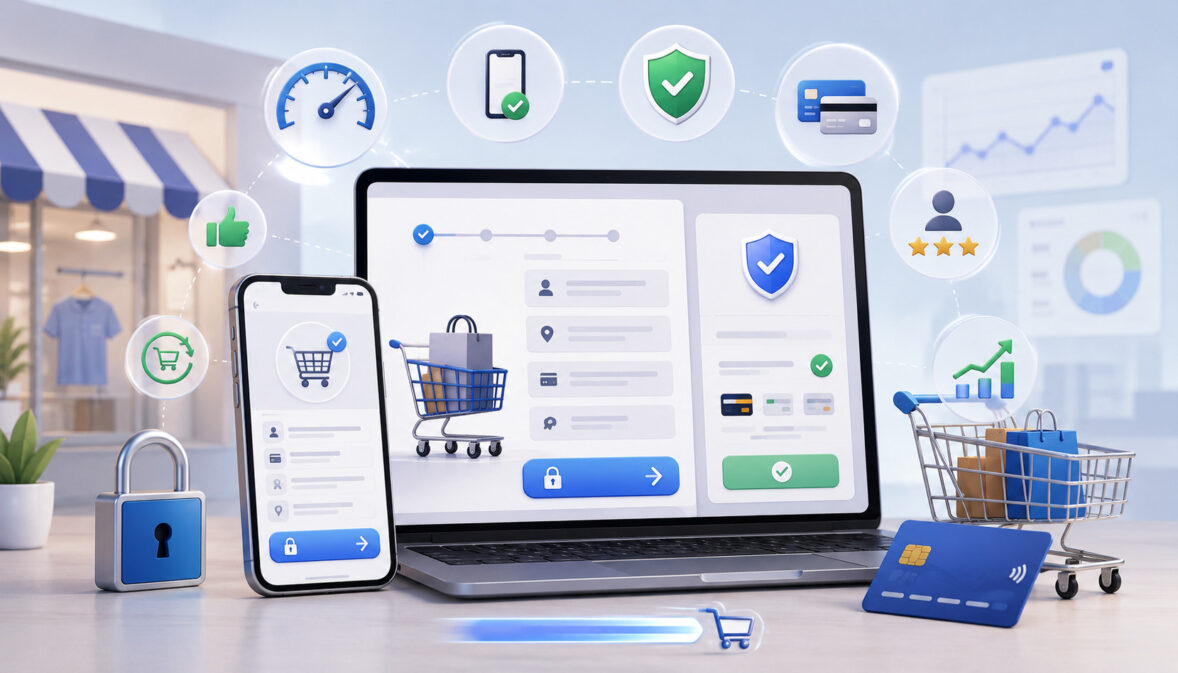
Online checkout optimization tips matter because checkout is where customer interest turns into revenue, or disappears before the order is complete. A shopper may like the product, accept the price, and add the item to the cart, but a confusing online checkout process can still cause hesitation, frustration, payment failures, or cart abandonment.
For many online businesses, checkout problems are not always obvious. A store may have strong product pages, good traffic, and attractive offers, but still lose sales because customers face unexpected shipping costs, too many form fields, unclear payment steps, weak trust signals, or a slow mobile checkout experience.
Online checkout optimization is not about forcing customers to buy faster. It is about removing avoidable friction so customers can complete a purchase with confidence. A better digital checkout experience helps customers understand what they are paying, choose the payment method they prefer, review their order clearly, and receive confirmation without confusion.
This guide explains practical online checkout optimization tips for improving the checkout flow, reducing cart abandonment, strengthening customer trust, improving mobile checkout optimization, and creating a smoother online payment experience.
It is written for eCommerce sellers, online retailers, digital storefront operators, small business owners, marketing teams, payment teams, UX teams, and business managers who want to improve checkout conversion without making unrealistic promises.
What Online Checkout Optimization Means
Online checkout optimization means improving every part of the checkout flow so customers can complete purchases quickly, safely, and confidently. It includes checkout design, form layout, pricing transparency, shipping options, payment methods, secure checkout signals, mobile usability, error handling, and order confirmation.
A strong checkout process does not make customers guess what comes next. It guides them from cart review to payment completion with clear steps, readable information, and helpful prompts.
When checkout page optimization is done well, customers understand the total cost, know when the order may arrive, trust the payment page, and have enough support information to move forward.
Checkout optimization also includes the technical side of the experience. Page speed, payment gateway performance, address validation, fraud screening, retry options, browser compatibility, and mobile responsiveness can all affect whether a customer completes payment.
Even small technical issues, such as a broken promo code field or unclear card error message, can interrupt the online payment experience.
It is important to understand that online checkout optimization is not only about speed. Speed helps, but clarity and trust matter just as much. A checkout that is fast but confusing can still cause abandonment. A checkout that is secure but hard to use can still lose customers.
Effective eCommerce checkout optimization balances several goals:
- Make the checkout flow simple.
- Reduce unnecessary typing and repeated information.
- Show costs before the final payment step.
- Offer familiar digital payment options.
- Build trust through secure checkout design.
- Help customers recover from errors.
- Confirm the order clearly after payment.
Why the Online Checkout Process Affects Sales
The online checkout process affects sales because it is the final decision point before payment. Customers who reach checkout have already shown buying intent, but that intent can weaken quickly when they encounter friction, uncertainty, or payment concerns.
Checkout friction can come from many sources. A customer may leave because shipping costs appear too late, the checkout form asks for too much information, account creation is required, delivery details are unclear, or the payment page looks different from the rest of the store.
Some shoppers abandon checkout because their preferred payment method is missing. Others leave when a payment fails and the error message does not explain how to fix it.
A good digital checkout experience helps customers complete their order without confusion or hesitation. It gives them enough information to trust the transaction while keeping the process focused and efficient. Customers should not have to search for return policies, wonder whether the payment page is secure, or calculate the final total themselves.
Checkout conversion rate is often influenced by small details. A clearer order summary, faster mobile page, shorter form, stronger payment page optimization, or better guest checkout option can improve checkout conversion over time.
However, no checkout design can eliminate every abandoned cart. Some customers leave because they are comparison shopping, waiting for payday, saving items for later, or not ready to buy.
The goal is to reduce avoidable abandonment. Businesses should focus on the checkout problems they can control, such as hidden fees, unclear fields, weak trust signals, slow loading pages, limited payment methods, and confusing error messages.
Common Reasons Customers Abandon Checkout

Customers abandon checkout for many reasons, and not all of them are caused by the business. Some shoppers are browsing, comparing prices, or saving items for later. Still, many abandoned carts happen because the checkout experience creates preventable friction.
Common causes include unexpected shipping costs, forced account creation, too many form fields, limited payment options, security concerns, payment failures, unclear delivery information, and confusing checkout UX. When several of these issues appear together, the customer’s confidence can drop quickly.
A business may not notice these problems immediately because the checkout technically “works.” But a checkout can function correctly and still feel difficult. For example, a form may accept payment, but if it requires repeated entries on mobile, customers may leave before reaching the payment step.
The sections below explain the most common abandonment triggers and how they affect the online checkout process.
Unexpected Shipping Costs and Fees
Unexpected shipping costs and fees are one of the most common causes of cart abandonment. Customers usually build a price expectation before they reach checkout. If the final total suddenly increases because of shipping, taxes, handling fees, service charges, or delivery costs, the customer may feel misled.
The issue is not always the fee itself. Many customers understand that shipping, taxes, or delivery charges may apply. The problem is timing and transparency. If costs appear only at the last payment step, shoppers may feel that the checkout process was not upfront with them.
Checkout transparency helps reduce this friction. Businesses should show estimated shipping costs, taxes, discounts, and final totals as early as possible. If the exact amount cannot be shown until the address is entered, the checkout page should explain that clearly.
This is especially important for mobile shoppers, who may not want to move back and forth between cart pages to understand the final cost. A visible order summary can make the total easier to review.
Forced Account Creation
Forced account creation can add unnecessary friction, especially for first-time customers. A shopper who wants to buy one item may not want to create a password, verify an account, agree to marketing messages, or manage another login before completing payment.
Account creation can be valuable for order tracking, saved addresses, loyalty features, subscriptions, and repeat purchases. But requiring it before payment can interrupt buying momentum. Customers may worry that the process will take too long or that they will receive unwanted messages.
Guest checkout is often a better default for many online stores. Customers can complete the purchase first, then be invited to create an account after the order is confirmed. This approach keeps the purchase path clear while still giving the business an opportunity to encourage account creation.
If account creation is necessary for the business model, such as subscriptions, digital access, or member-only pricing, explain why it is required and keep the process short.
Too Many Form Fields
Too many form fields can slow checkout and increase errors. Every extra field creates a small decision or typing task. On desktop, this may be mildly annoying. On mobile, it can become a major obstacle.
Checkout form optimization focuses on asking only for information needed to complete the order. A shipping address, billing details, contact information, and payment data may be necessary, but extra fields should be reviewed carefully.
Duplicate fields, optional surveys, unnecessary titles, fax numbers, or overly detailed account questions can create avoidable friction.
Autofill, address validation, field labels, input masks, and clear formatting can make forms easier to complete. For example, card number spacing, automatic city and state suggestions, and clear postal code validation can reduce mistakes.
Businesses should also avoid clearing completed fields after an error. Few things frustrate shoppers more than filling out a long form, seeing a small error, and having to start again.
Limited Payment Options
Limited payment options can cause customers to abandon checkout if their preferred method is unavailable. Payment expectations vary by customer, order size, device, and business type.
Some shoppers prefer card payments, some prefer digital wallets, some may want ACH payments for larger purchases, and others may look for installment options when the order value is high.
Payment checkout optimization does not mean offering every possible payment method. Too many options can also clutter the payment page. The goal is to provide the payment methods that match customer needs, transaction type, risk level, and operational requirements.
For many online stores, a balanced payment page may include card payments, digital wallets, and one or more alternative options where appropriate. B2B sellers may need invoice terms, bank payment options, or purchase order workflows. Subscription businesses may need reliable stored payment credentials and renewal support.
Security Concerns
Security concerns can stop customers at the exact moment they are ready to pay. If the checkout page looks outdated, the design changes suddenly, trust badges are missing, policies are hard to find, or the payment page feels disconnected from the store, customers may hesitate.
Secure checkout is both technical and visual. Customers cannot inspect encryption, tokenization, fraud screening, or payment gateway configuration directly. They rely on signals such as SSL security, professional design, clear privacy information, visible return policies, customer support access, and consistent branding.
Businesses should avoid design choices that make checkout look suspicious. Broken layouts, strange redirects, missing order summaries, unclear billing descriptors, and poorly formatted payment forms can weaken customer trust.
Security information should be helpful, not overwhelming. Customers do not need a technical manual at checkout, but they should feel that payment data is handled carefully and that support is available if something goes wrong.
Payment Failures and Error Messages
Payment failures can happen for many reasons, including expired cards, incorrect billing details, insufficient funds, bank declines, fraud filters, session timeouts, payment gateway issues, or network interruptions. When a payment fails, the checkout experience should help the customer recover.
Unclear error messages increase abandonment. A message like “payment failed” does not tell the customer what to do next. Better error handling explains the issue where possible and offers a clear next step, such as checking billing details, trying another card, selecting a different payment method, or contacting support.
Payment failures also require careful internal review. If many customers experience declines at the same step, the issue may involve form validation, fraud rules, payment gateway configuration, unsupported card types, or technical problems.
Online Checkout Optimization Tips for a Better Customer Experience

The best online checkout optimization tips focus on reducing friction, increasing clarity, and helping customers feel confident. A better checkout experience does not have to be complicated.
Many improvements come from simplifying forms, making costs visible, offering guest checkout, improving mobile usability, and displaying trust signals where customers need them.
A useful approach is to review checkout in stages: cart review, customer information, shipping details, payment page, order review, and confirmation. Each stage should answer the customer’s next question without distracting them from the purchase.
Businesses should also make checkout improvements based on data, not guesswork. Analytics, abandoned cart recovery results, customer support questions, payment decline reports, and test orders can reveal which problems matter most.
Offer Guest Checkout
Guest checkout allows customers to complete a purchase without creating an account first. This can reduce friction for first-time buyers, gift buyers, mobile shoppers, and customers who simply want a fast transaction.
Forcing account creation can make checkout feel like a commitment beyond the purchase. Guest checkout keeps the process focused on the order. Customers can still provide an email address for confirmation, tracking, and support, but they do not have to create login credentials before paying.
After the order is complete, businesses can invite the customer to create an account using the information already entered. This is usually less disruptive because the purchase is already finished.
Guest checkout is especially useful for retail eCommerce stores with many one-time or occasional buyers. However, if the business requires account access for digital delivery, subscriptions, or customer portals, the account step should be short and clearly explained.
Reduce Unnecessary Form Fields
Reducing unnecessary form fields is one of the most practical checkout optimization steps. Each field should have a clear purpose. If the business does not need the information to process payment, deliver the order, prevent fraud, or support the customer, the field may be creating avoidable friction.
Businesses can simplify forms by removing duplicate fields, using billing address same as shipping address options, enabling autofill, validating addresses, and making optional fields clearly optional. Checkout form optimization should also include helpful field labels and error messages.
On mobile, form length matters even more. Customers may be typing with one hand, dealing with small screens, or switching between apps. Reducing typing can improve the online payment experience.
Show Total Costs Early
Customers should see total costs before the final payment step. A clear checkout should show product price, discounts, shipping costs, taxes, fees, and final total in a visible order summary.
When costs are uncertain, the checkout should explain what information is needed to calculate them. For example, taxes and shipping may depend on the delivery address. In that case, show an estimate early and update the total once the customer enters the required details.
Hidden fees can damage customer trust. Even if the final price is reasonable, late-stage surprises may make customers feel uncomfortable. Transparent pricing supports checkout conversion because customers can make an informed decision before entering payment details.
A strong order summary should be easy to edit. Customers should not have to restart checkout to change quantity, shipping method, or promo code.
Provide Multiple Payment Methods
Multiple payment methods can help customers complete checkout using the option they trust and prefer. A flexible payment page may include card payments, digital wallets, bank payment options, gift cards, or installment options depending on the business model.
Digital payment options can be especially useful for mobile checkout optimization because they reduce typing and speed up payment entry. ACH payments may fit certain larger transactions or invoice-style purchases. Installment options may help in categories where customers commonly split payments, although businesses should present terms clearly and responsibly.
Payment page optimization should balance choice and simplicity. Too many options can overwhelm customers, while too few can cause abandonment. The best mix depends on customer behavior, average order value, risk level, and operational needs.
For additional payment context, businesses can review educational material on what a payment service provider does when evaluating how checkout payments are routed and supported.
Make Checkout Mobile-Friendly
Mobile checkout optimization is essential because many customers browse and buy from phones. A checkout that works on desktop may still perform poorly on mobile if buttons are too small, forms are cramped, pages load slowly, or payment entry requires too much typing.
A mobile-friendly checkout should use large tap targets, readable text, simplified navigation, responsive design, and easy access to order totals. Customers should be able to move through checkout without zooming, mis-tapping buttons, or losing entered information.
Digital wallets, autofill, address lookup, and saved customer information can reduce mobile friction. Promo code fields should be available but not so prominent that customers leave checkout to search for discounts.
Use Clear Error Messages
Clear error messages help customers fix problems without restarting checkout. Errors may involve missing fields, invalid addresses, expired cards, incorrect CVV, failed authorization, unsupported payment methods, or session timeouts.
A helpful error message should appear near the relevant field and explain what the customer can do next. For example, instead of saying “invalid input,” the page can say that the postal code does not match the selected region or that the card expiration date needs to be checked.
Error messages should be calm, specific, and actionable. They should not blame the customer or expose sensitive security details. If the issue is a payment decline, offer retry options or another payment method where appropriate.
Display Trust and Security Signals
Trust signals help customers feel more comfortable completing payment. These signals may include secure checkout indicators, SSL security, privacy information, return policy links, refund policy details, customer support access, professional design, and clear order confirmation.
Trust badges should be used carefully. They should support real security practices, not replace them. Customers are more likely to trust a checkout that is consistent, transparent, and easy to understand.
Businesses should also make support easy to find. A visible help link, email option, chat support, or phone support can reassure customers who have questions before payment.
Educational resources on payment gateway security features can help teams understand how secure payment handling supports customer confidence.
Checkout Optimization Checklist Table
A checklist helps teams review the checkout experience systematically. Since checkout involves design, payments, security, fulfillment, and customer support, it is easy for important details to fall through the cracks. A practical checkout optimization checklist can help marketing teams, UX teams, payment teams, and operations teams work from the same priorities.
Use the table below as a starting point for checkout audits. Each element should be tested on desktop and mobile, across different browsers, payment methods, and shipping scenarios.
| Checkout Element | Why It Matters | Optimization Tip | Common Mistake to Avoid |
| Guest checkout | Reduces friction for first-time buyers | Allow purchase without account creation | Forcing signup before payment |
| Form fields | Affects speed and error rate | Ask only for required order details | Collecting unnecessary information |
| Shipping costs | Builds price transparency | Show estimates early and final totals clearly | Revealing fees at the last step |
| Payment methods | Supports customer preference | Offer familiar and relevant options | Offering too few or too many choices |
| Mobile layout | Impacts mobile conversion | Use large buttons and readable fields | Designing only for desktop |
| Trust signals | Builds customer confidence | Show secure checkout and policy links | Using vague or unsupported badges |
| Error messages | Helps customers recover | Make errors specific and actionable | Showing generic failure messages |
| Order summary | Prevents confusion | Show items, quantities, discounts, taxes, and total | Hiding details behind extra clicks |
| Promo codes | Supports discounts without distraction | Make the field available but not dominant | Encouraging customers to leave and search |
| Confirmation page | Reassures customers after payment | Show order number, receipt, and next steps | Ending with a vague success message |
How to Simplify the Checkout Flow

Simplifying the checkout flow means helping customers move from cart to confirmation with fewer distractions, fewer unnecessary steps, and clearer information. A simplified checkout should keep the customer focused on completing the order while still giving them control over shipping, payment, and review details.
Businesses can simplify checkout by reducing steps, combining related fields, using progress indicators, saving cart details, allowing address autofill, and keeping navigation focused. Customers should be able to review their cart, choose delivery, enter payment, and confirm the order without feeling lost.
One important decision is whether to use one-page checkout or multi-step checkout. There is no universal best choice. The right structure depends on product type, order complexity, customer expectations, average order value, and testing results.
A simple product purchase may work well with one-page checkout. A complex order with shipping options, gift notes, tax exemption fields, subscription terms, or B2B purchase details may need a multi-step checkout. What matters most is whether the flow feels organized and predictable.
Progress indicators can help customers understand where they are in the process. They are especially useful for multi-step checkout because they reduce uncertainty. Editable summaries also help because customers can correct details without restarting.
One-Page Checkout
One-page checkout places customer information, shipping details, payment fields, order summary, and confirmation action on a single page. This can reduce clicks and help customers review everything in one place.
One-page checkout can work well for simple orders, low-friction purchases, and mobile experiences when the design is clean. It may also reduce the feeling that checkout is a long process.
However, one-page checkout can become cluttered if it includes too many fields, payment options, promo areas, delivery choices, and policy links. A crowded page can overwhelm customers and make errors harder to spot.
The best one-page checkout designs use clear sections, collapsible areas where appropriate, visible totals, and strong field validation. The goal is not to squeeze everything onto one screen. The goal is to reduce unnecessary movement while keeping the page easy to understand.
Multi-Step Checkout
Multi-step checkout separates the process into stages, such as customer information, shipping, payment, and review. This can make complex orders easier to manage because customers focus on one section at a time.
Multi-step checkout is useful when the purchase requires more detail. For example, B2B orders, subscriptions, service bookings, customized products, or orders with multiple delivery options may need a more structured flow.
The risk is that too many steps can feel slow. Businesses should avoid unnecessary pages and use progress indicators so customers know how close they are to completion. Each step should have a clear purpose.
Multi-step checkout should also preserve entered information. If customers go back to edit shipping or billing details, they should not lose payment information or have to retype completed fields.
Mobile Checkout Optimization
Mobile checkout optimization deserves special attention because mobile shoppers often face more friction than desktop shoppers. Small screens, slower connections, typing difficulty, app switching, and distractions can all make mobile checkout harder.
A mobile checkout should be designed for speed, clarity, and minimal typing. Buttons should be thumb-friendly, forms should be short, fields should be readable, and the order total should stay easy to find. Customers should not have to pinch, zoom, or scroll through cluttered layouts to complete payment.
Digital wallets can support mobile checkout because they reduce manual card entry. Autofill, address lookup, saved payment methods, and clear field formatting can also improve checkout UX. The fewer details customers must type, the smoother the mobile checkout experience becomes.
Mobile checkout should also handle interruptions well. Customers may receive calls, switch apps, lose connection, or pause before payment. A good checkout should preserve cart details and completed fields where possible.
Promo code handling is another mobile concern. If the promo field is too prominent, customers may leave checkout to search for a code and never return. A balanced design keeps the field accessible without making customers feel they are missing a discount.
Reduce Typing on Mobile
Reducing typing is one of the most effective mobile checkout optimization steps. Typing names, addresses, card numbers, and billing details on a small screen can be slow and error-prone.
Businesses can reduce typing with autofill, address lookup, saved customer details, digital wallets, and payment methods that do not require manual card entry. Proper input types also matter. For example, numeric keyboards should appear for phone numbers, card numbers, and postal codes.
Address validation can help customers enter accurate shipping details, but it should not be too rigid. If validation blocks a real address or provides confusing suggestions, it can create frustration. Customers should have a way to confirm or edit their address when needed.
Improve Page Speed
Page speed affects checkout abandonment because customers may leave when checkout pages take too long to load. Slow pages are especially harmful during payment because customers may worry that the order is stuck, duplicated, or unsafe.
Businesses should monitor checkout speed across devices, browsers, and payment methods. Large images, unnecessary scripts, heavy tracking tools, slow third-party services, and poorly optimized payment pages can all affect performance.
Checkout speed should be reviewed separately from general site speed. A homepage may load quickly while the payment page performs poorly due to extra scripts or external calls.
Teams should also test what happens after the customer clicks the payment button. If the page does not show a clear loading state, customers may click again or abandon the session.
Make Payment Buttons Easy to Use
Payment buttons should be large, clear, and easy to tap. Customers should know exactly what will happen when they press the button. Button labels such as “Place Order” or “Complete Payment” are usually clearer than vague labels.
Placement matters. The main payment button should appear where customers expect it after reviewing the order summary and payment details. It should not be hidden below unrelated content or placed too close to secondary actions.
Mobile checkout should also prevent accidental taps. Buttons should have enough spacing around them, and destructive actions such as removing items or clearing carts should not be too close to payment actions.
Payment Page Optimization
Payment page optimization is a key part of checkout optimization because the payment page is where trust, security, and usability come together. Customers are entering sensitive information and making a final decision. Any confusion here can lead to abandonment.
A strong payment page should show accepted payment methods, secure payment indicators, clear billing fields, order review, and retry options. It should look consistent with the rest of the store and avoid sudden design changes that make customers question whether they are still in the right place.
Payment gateway performance also matters. If the payment page loads slowly, fails to validate fields, or returns confusing decline messages, customers may not try again. Payment teams should review failed transactions, authorization issues, and retry patterns to identify avoidable payment failures.
Fraud screening is important, but it should be balanced with customer experience. Rules that are too strict may block legitimate customers. Rules that are too weak may increase fraud and chargeback risk. Payment checkout optimization requires reviewing both conversion and risk.
For businesses that want to understand verification tools, this guide on using CVV and AVS checks to reduce fraud can provide additional payment security context.
Offer Familiar Payment Methods
Familiar payment methods can reduce hesitation because customers recognize the process and know what to expect. Card payments remain important for many online purchases, while digital wallets may improve mobile checkout by reducing manual entry.
Bank payment options, installment choices, stored payment credentials, or invoice-style payment methods may fit certain business models. The right mix depends on customer behavior and order type.
Businesses should avoid adding payment methods only because they are popular in general. Every payment method has operational, cost, fraud, refund, and support considerations. The goal is to support customer choice without making checkout confusing.
Payment options should be clearly labeled. Customers should understand when they are choosing a card, wallet, bank payment, installment option, or another method.
Reduce Payment Declines Where Possible
Not every payment decline can be prevented. Some declines happen because of issuer decisions, insufficient funds, expired cards, suspected fraud, or customer account restrictions. However, businesses can reduce avoidable failures through better checkout design and payment operations.
Clear billing fields, card validation, accurate address entry, helpful error messages, and retry options can help customers fix simple issues. Payment decline data can also reveal patterns, such as a specific payment method failing more often or a fraud rule blocking legitimate orders.
Businesses should review payment failure reports regularly. A high payment decline rate may indicate technical issues, outdated payment settings, aggressive fraud controls, unsupported card types, or confusing billing fields.
Keep the Payment Page Consistent With the Store
A payment page that suddenly looks different from the store can reduce trust. Customers may wonder whether they have been redirected to the right place, especially if the layout, colors, fonts, or domain experience changes without explanation.
Consistency supports customer confidence. The payment page should feel connected to the shopping experience, even if a secure hosted payment flow is used. Order details, store identity, policy links, and support options should remain clear.
If a redirect is necessary, the checkout should prepare the customer. A simple message explaining that they are moving to a secure payment step can reduce confusion.
Consistency also applies after payment. The confirmation page should clearly show that the order was successful and explain what happens next.
Checkout Transparency and Customer Trust
Checkout transparency is one of the most important parts of online checkout optimization. Customers are more likely to complete payment when they understand what they are buying, what they are paying, when the order may arrive, and how issues will be handled.
Transparency includes pricing, shipping timelines, taxes, return policy, refund policy, billing descriptors, privacy information, and customer support. These details should not be hidden behind vague links or shown only after payment.
A transparent checkout reduces uncertainty. Customers should be able to review the order summary, confirm quantities, see discounts, compare delivery options, and understand final costs before submitting payment.
Clear communication also reduces support requests. When customers understand delivery expectations, return steps, and confirmation details, they are less likely to contact support with avoidable questions.
Trust is built through consistency. If product pages promise free shipping, checkout should reflect that clearly. If returns are limited, the policy should be easy to find before payment. If delivery timing depends on location, the checkout should explain that.
Display Shipping and Delivery Details Clearly
Shipping and delivery details should be visible before payment. Customers want to know when the order may arrive, what delivery options are available, and whether pickup, expedited shipping, or special handling applies.
Unclear delivery information can create hesitation. If customers do not know whether an item will arrive in time, they may leave to compare another store. This is especially important for gifts, event-related purchases, and urgent needs.
The checkout should show estimated delivery timelines, shipping costs, carrier options where appropriate, and fulfillment expectations. If delays may apply, explain them before payment.
Businesses should also make shipping edits easy. Customers should be able to change shipping methods or delivery addresses without restarting checkout.
Make Return and Refund Policies Easy to Find
Return and refund policies help customers make confident purchase decisions. If policies are hidden, vague, or difficult to understand, shoppers may hesitate before paying.
The checkout page does not need to display the full policy text, but it should provide easy access to relevant details. Customers should know whether returns are accepted, how refunds are handled, and whether special rules apply to certain items.
Clear policies can also reduce disputes. When customers understand expectations before payment, there is less confusion after delivery.
Show an Accurate Order Summary
An accurate order summary helps customers confirm the purchase before payment. It should show items, quantities, product options, prices, discounts, shipping, taxes, fees, and final total.
The order summary should also be editable. Customers may notice the wrong size, quantity, address, or delivery option at the final step. If changes are difficult, they may abandon checkout instead of fixing the issue.
A strong order summary prevents surprises. It reassures customers that the business is charging the expected amount for the expected items.
For subscription or recurring purchases, the summary should also explain renewal timing, billing frequency, and cancellation basics before payment.
How Payment Security Supports Checkout Optimization
Payment security supports checkout optimization by helping customers feel safe and helping businesses reduce payment risk. A secure checkout experience depends on technical controls, careful data handling, fraud prevention, and visible trust signals.
Security practices may include SSL security, encryption, tokenization, fraud screening, AVS, CVV verification, secure payment gateway tools, access controls, and data minimization. Businesses should avoid collecting or storing sensitive payment data unless there is a clear and properly managed need.
Payment security also affects checkout UX. Security steps should protect the transaction without creating unnecessary friction. For example, fraud controls should help detect risky transactions, but overly strict settings can block legitimate customers and reduce checkout conversion.
Businesses should treat payment security as part of the customer experience. Customers may not know the details of encryption or tokenization, but they do notice whether checkout feels professional, consistent, and trustworthy.
For broader payment security education, readers can review this PCI compliance overview and this guide to payment data protection requirements.
Use Secure Payment Handling
Secure payment handling means reducing exposure to sensitive payment data. Businesses should avoid unnecessary storage of card details and use secure payment tools designed to protect customer information.
Tokenization can help replace sensitive payment data with non-sensitive tokens for future transactions. Encryption helps protect data in transit and, where applicable, at rest. Secure hosted fields or hosted payment pages may also reduce the amount of sensitive data handled directly by the business.
Data minimization is important. If the business does not need to store certain information, it should avoid collecting it. Less stored sensitive data can mean less risk and simpler security management.
Secure handling should also extend to logs, support tools, analytics, and order management systems. Payment details should not appear in places where they are not needed.
Balance Fraud Prevention With Customer Experience
Fraud prevention helps protect businesses and customers, but it must be balanced with checkout experience. Weak controls can increase fraud, chargebacks, and operational losses. Overly strict controls can block legitimate customers and create false declines.
A balanced approach uses risk signals carefully. Billing address checks, CVV verification, device signals, velocity checks, transaction history, and fraud scoring may help identify suspicious activity. However, rules should be reviewed regularly to avoid blocking normal customer behavior.
Payment teams should monitor fraud rates, chargebacks, false positives, and payment decline rates together. Looking at only one metric can lead to poor decisions.
Reducing Cart Abandonment With Better Checkout Design
Better checkout design can help reduce cart abandonment by making the buying path clearer, faster, and more trustworthy. The goal is not to pressure customers. The goal is to remove avoidable reasons they might leave.
Checkout design should use clear calls to action, simple layouts, visible progress, editable carts, saved cart details, delivery clarity, payment flexibility, and helpful abandoned cart recovery messages. Each design element should support the purchase decision.
Distractions should be limited during checkout. Customers should not be pulled away by unrelated links, aggressive pop-ups, unnecessary navigation, or competing promotions. The checkout page should keep attention on completing the order.
At the same time, customers need control. They should be able to update quantities, change shipping, apply valid discounts, and review policies without losing progress.
Abandoned cart recovery can help bring customers back, but it works best when messages are helpful. Reminders should include the cart contents, clear next steps, and any relevant support information.
Keep Customers Focused
Checkout pages should keep customers focused on completing the purchase. Too many distractions can interrupt the buying process and create exit points.
Businesses should avoid unnecessary pop-ups, unrelated product recommendations, excessive navigation menus, and confusing links during checkout. If upsells or cross-sells are used, they should not make payment harder or hide the main checkout action.
A focused checkout does not mean removing useful information. Customers still need access to support, policy links, shipping details, and order summaries. The key is to present helpful information without overwhelming the page.
Clear visual hierarchy matters. The primary action should stand out, while secondary actions should remain available but less dominant.
Make Cart Edits Easy
Customers should be able to edit their cart without restarting checkout. This includes changing quantities, removing items, updating shipping, applying valid discounts, and correcting product options.
Difficult cart editing creates frustration. If customers must go back several steps to make a simple change, they may leave instead. This is especially harmful on mobile, where navigation is already more limited.
Cart edits should update totals immediately. Customers should see how changes affect shipping, taxes, discounts, and final cost.
A saved cart can also help customers return later. If a shopper leaves checkout, the cart should remain available when they come back, where technically possible.
Use Abandoned Cart Recovery Carefully
Abandoned cart recovery can help recover incomplete purchases through emails, messages, or reminders. The best recovery messages are helpful, timely, and respectful.
A good abandoned cart recovery message reminds customers what they left behind, provides a clear link back to checkout, and may answer common concerns such as shipping, returns, or support. It should not feel aggressive or misleading.
Businesses should avoid sending too many reminders. Overly frequent messages can annoy customers and harm trust. Recovery timing and frequency should be tested carefully.
Checkout Optimization for Different Business Types
Checkout optimization varies by business model. A retail eCommerce store, service business, subscription company, digital product seller, B2B storefront, and mobile-first store may all need different checkout flows.
The core principles remain the same: reduce friction, build trust, show clear costs, support relevant payment methods, and confirm the order clearly. However, the details change based on what is being sold and how customers expect to buy.
For example, a retail store may focus on shipping options and return policies. A service business may need deposits and appointment scheduling. A subscription business must explain recurring billing clearly. A B2B seller may need purchase orders, tax exemption fields, and account-based pricing.
The best checkout optimization strategy begins with customer expectations. Businesses should ask what information customers need before they can confidently complete payment.
Retail eCommerce Stores
Retail eCommerce checkout often depends on product details, shipping options, inventory availability, return policy, and payment methods. Customers want to confirm that the right item is in the cart, the delivery cost is acceptable, and the return process is clear.
Retail checkout should make product options easy to review. Size, color, quantity, and delivery method should be visible before payment. If an item is low stock or unavailable, the checkout should update clearly.
Returns are especially important in retail categories where customers may need to try products or compare options. A visible return policy can reduce hesitation.
Retail stores should also review mobile checkout carefully because many shoppers browse product pages on phones before buying.
Service Businesses
Service businesses may use checkout for deposits, appointments, consultations, project payments, or invoice payments. Their checkout flow often needs to collect service details, customer contact information, scheduling preferences, and payment terms.
Clarity is important because customers may not be buying a physical product. They need to understand what the payment covers, whether it is a deposit or full payment, when the service will occur, and how cancellations or rescheduling work.
Service checkout should avoid collecting too much information upfront. If detailed intake forms are needed, consider whether they should appear after payment or after appointment confirmation.
Payment confirmation should include next steps, contact information, appointment details, and support instructions.
Subscription Businesses
Subscription checkout must clearly explain recurring billing. Customers should understand the plan, billing frequency, renewal timing, trial terms, cancellation process, and what happens if payment fails.
Stored payment credentials are often part of subscription billing, so security and transparency are important. Customers should know how payment information is used for renewals.
Plan comparison should be clear before checkout. If customers are unsure which plan they selected, they may hesitate or contact support instead of completing payment.
Subscription businesses should also prepare for payment failures. Retry options, renewal reminders, and clear account updates can help reduce involuntary churn.
Digital Product Businesses
Digital product checkout often depends on instant delivery, account access, licensing, downloads, support instructions, and refund expectations. Customers want to know how they will receive the product after payment.
The order confirmation page is especially important for digital products. It should explain how to access the download, course, file, license, or account area. Confirmation emails should repeat the same details.
Refund policies should be clear because digital products may have different return expectations than physical goods. Customers should know before payment whether refunds are available and under what conditions.
Digital product sellers should also test access flows regularly. A successful payment followed by failed delivery can create customer frustration and support issues.
B2B Sellers
B2B checkout may require a different flow because order values, approval steps, payment terms, and buyer roles can be more complex. Buyers may need invoice terms, purchase orders, tax exemption fields, quote approvals, account-based pricing, or multiple user permissions.
A B2B checkout should support the buying process without making it feel like a consumer cart forced onto a complex purchase. Customers may need to save quotes, share carts internally, request approval, or choose invoice payment instead of immediate card payment.
Order summaries should be detailed. B2B buyers may need item codes, quantities, tax details, delivery terms, and billing information for internal records.
Because B2B payment needs can vary, businesses should review payment processing and account setup concepts to understand how different payment flows may affect checkout.
Mobile-First Stores
Mobile-first stores should prioritize speed, autofill, digital wallets, simplified layouts, and minimal typing. If most traffic comes from mobile devices, checkout should be designed around mobile behavior from the beginning.
A mobile-first checkout should keep the cart summary visible, reduce form fields, and use payment methods that support fast completion. Page speed and layout stability are especially important.
Mobile-first stores should also review customer support access. If customers have questions during checkout, they should be able to find help without losing their cart.
Checkout Analytics and Metrics to Track
Checkout analytics help businesses understand what is actually happening inside the checkout flow. Without metrics, teams may rely on opinions or visual preferences instead of customer behavior.
Important checkout performance metrics include checkout conversion rate, cart abandonment rate, checkout abandonment rate, payment decline rate, page load time, average order value, mobile conversion rate, promo code usage, refund rate, and customer support issues.
Metrics should be reviewed by device, traffic source, payment method, customer type, and product category when possible. A checkout may perform well overall but poorly on mobile. A payment method may work for most customers but fail frequently for certain transaction types.
Analytics should also be connected to qualitative feedback. Support tickets, live chat questions, customer reviews, and test orders can explain why the numbers are changing.
Checkout optimization should be continuous. Customer expectations, payment methods, fraud patterns, shipping costs, and device behavior can change over time.
Checkout Conversion Rate
Checkout conversion rate measures how many customers who start checkout actually complete payment. It helps businesses understand how effective the checkout flow is once customers show strong buying intent.
A low checkout conversion rate may indicate friction in forms, shipping costs, payment options, page speed, trust signals, or payment failures. However, the metric should be interpreted carefully. Some customers start checkout just to estimate shipping or compare final totals.
Businesses should track checkout conversion rate over time and compare it across devices, traffic sources, and customer segments. Sudden drops may signal a technical problem or recent change that affected checkout performance.
Cart Abandonment Rate
Cart abandonment rate shows how often customers add items to cart but do not complete purchase. This metric helps businesses understand where interest is not turning into completed orders.
Cart abandonment may happen before checkout or during checkout. Customers may leave because of price comparison, shipping costs, account requirements, slow pages, missing payment methods, or uncertainty.
Businesses should separate cart abandonment from checkout abandonment where possible. A customer who leaves from the cart page may have different concerns than one who leaves after a payment error.
Abandoned cart recovery can help, but the better long-term strategy is to identify and reduce the friction causing preventable abandonment.
Payment Decline Rate
Payment decline rate measures how often payment attempts fail. This metric can reveal technical issues, fraud filter problems, billing field errors, unsupported payment methods, or customer payment limitations.
A high decline rate should be reviewed carefully. Teams should look at decline reasons, payment methods, device type, transaction amount, customer location, and fraud rules. Not all decline data will be fully detailed, but patterns can still help.
Payment decline rate should be reviewed alongside successful retries. If customers can recover easily after a failed payment, abandonment may be lower. If failed payments force customers to restart, the impact may be much worse.
Testing and Improving the Checkout Experience
Checkout optimization should be an ongoing process, not a one-time redesign. Businesses should test checkout regularly, review analytics, listen to customer feedback, and make improvements based on evidence.
Useful methods include A/B testing, heatmaps, user feedback, customer support logs, mobile testing, test orders, payment testing, and checkout audits. The goal is to understand where customers struggle and which changes improve checkout conversion.
Testing should include different devices, browsers, payment methods, shipping options, promo codes, and customer scenarios. A checkout may work perfectly for one order type but fail for another.
Teams should also test after updates to themes, plugins, payment gateway settings, fraud rules, shipping rules, tax settings, or third-party scripts. Checkout depends on many connected systems, so changes outside the checkout page can still affect performance.
Run Test Orders Regularly
Running test orders helps businesses experience checkout from the customer’s perspective. Tests should include desktop and mobile devices, different browsers, multiple payment methods, guest checkout, account checkout, promo codes, and shipping choices.
Test orders can reveal broken layouts, confusing fields, slow payment responses, unclear totals, or missing confirmation emails. They can also uncover problems that analytics alone may not explain.
Businesses should test successful orders and failed scenarios. For example, test invalid addresses, declined payments, expired cards, missing fields, and promo code errors to see whether the checkout provides helpful guidance.
Use Customer Feedback
Customer feedback can reveal checkout problems that analytics cannot fully explain. Support tickets, live chat questions, abandoned cart surveys, reviews, and post-purchase comments may show where customers are confused.
For example, repeated questions about shipping costs may indicate that costs are not visible early enough. Complaints about failed payments may point to unclear error messages or limited payment options. Questions about returns may show that policies are hard to find.
Feedback should be organized by theme. Individual comments are useful, but patterns are more important. If multiple customers mention the same issue, it may deserve priority.
Teams should share checkout feedback across departments. Marketing, UX, payments, fulfillment, and support teams may each see different parts of the problem.
Make Small Changes and Measure Results
Small changes are often easier to measure than major redesigns. When possible, test one improvement at a time, such as reducing form fields, changing button labels, adding delivery estimates, or improving error messages.
A/B testing can help compare versions, but it should be used carefully. Test results need enough traffic and time to be meaningful. Businesses should avoid making decisions from tiny samples or short test windows.
Some improvements may not need formal A/B testing if they fix obvious problems, such as broken fields, missing totals, or unclear errors. Still, performance should be monitored after changes.
The best checkout optimization process combines common sense, customer feedback, analytics, and regular testing.
Common Checkout Optimization Mistakes to Avoid
Common checkout optimization mistakes often come from focusing on appearance while ignoring customer effort, payment performance, or trust. A checkout can look modern and still lose customers if it hides costs, requires too many steps, or fails on mobile.
One major mistake is hiding shipping costs until the final step. Customers may feel surprised and leave, even if the charges are reasonable. Another mistake is forcing account creation before purchase, especially for first-time buyers.
Too many form fields can also hurt checkout UX. Businesses sometimes collect extra information for marketing or internal reporting, but each field can slow customers down. Promo code boxes can create another issue. If the promo field is too prominent, customers may leave checkout to search for a code.
Offering too few payment methods can limit checkout conversion, while offering too many can clutter the page. Ignoring mobile users is another costly mistake, especially when mobile traffic is high.
Unclear error messages can turn a fixable issue into an abandoned order. Customers need to know what went wrong and how to continue. Failing to show trust signals, policies, and support options can also reduce confidence.
Another mistake is not testing checkout after updates. Payment settings, shipping rules, tax rules, fraud filters, plugins, and scripts can change checkout behavior. Regular test orders help catch issues early.
Finally, businesses should not rely only on design changes. Payment data, decline rates, fraud rules, page speed, and support logs are equally important for payment checkout optimization.
FAQs
What is online checkout optimization?
Online checkout optimization is the process of improving the checkout flow so customers can complete purchases with less friction and more confidence. It includes form design, payment options, mobile usability, shipping transparency, secure checkout signals, error handling, and order confirmation.
The goal is to make the online checkout process easier to complete while still giving customers the information they need. A good checkout experience should help customers review their order, understand the final cost, choose a payment method, and complete payment without confusion.
Online checkout optimization tips are most effective when they are based on real checkout data, customer feedback, and regular testing.
Why is the online checkout process important?
The online checkout process is important because it is the final step before payment. Customers who reach checkout have already shown interest, but they may still abandon the order if the process feels confusing, expensive, unsafe, or time-consuming.
Checkout affects sales, customer trust, payment success, and support volume. A poor checkout experience can cause customers to leave even when they like the product.
A better checkout experience can improve checkout conversion by reducing avoidable friction. It cannot guarantee every customer will buy, but it can remove barriers that prevent ready customers from completing payment.
How can businesses reduce cart abandonment?
Businesses can reduce cart abandonment by showing costs early, offering guest checkout, simplifying forms, improving page speed, providing relevant payment methods, making mobile checkout easier, and displaying clear trust signals.
They should also review analytics to see where customers leave. If many shoppers abandon after shipping appears, pricing transparency may need improvement. If abandonment happens at payment, the issue may involve payment methods, errors, declines, or trust.
Abandoned cart recovery messages can help, but they should not replace checkout improvements. The best approach is to fix the reasons customers leave in the first place.
Should online stores offer guest checkout?
Many online stores should offer guest checkout because it reduces friction for first-time customers and shoppers who want a fast purchase. Requiring account creation before payment can interrupt the buying process.
Guest checkout still allows businesses to collect the email address needed for order confirmation and support. After purchase, customers can be invited to create an account using their order details.
Some business models may require account creation, such as subscriptions or digital access. In those cases, the account step should be short and clearly connected to the service being purchased.
What payment methods should an online checkout include?
An online checkout should include payment methods that match customer preferences, order type, business model, and risk requirements. Common options may include card payments, digital wallets, bank payment options, gift cards, or installment options.
The best payment mix is not the same for every business. Retail stores may prioritize cards and wallets, while B2B sellers may need invoice or bank payment options. Subscription businesses may need reliable recurring payment support.
Businesses should review payment usage, decline rates, customer feedback, and operational costs before adding or removing payment methods.
How can mobile checkout be improved?
Mobile checkout can be improved by reducing typing, using autofill, offering digital wallets, making buttons large and easy to tap, improving page speed, simplifying forms, and keeping order totals visible.
A mobile checkout should be tested on real phones. Desktop previews may not reveal issues with spacing, scrolling, keyboards, or payment entry.
Mobile customers are more likely to abandon checkout when pages are slow, fields are difficult to complete, or payment options require too much manual typing.
What causes payment failures during checkout?
Payment failures can be caused by expired cards, incorrect billing details, insufficient funds, issuer declines, fraud filters, unsupported payment methods, payment gateway issues, session timeouts, or network interruptions.
Some failures cannot be controlled by the business, but many can be handled better. Clear error messages, retry options, accurate billing fields, and alternative payment methods can help customers recover.
Businesses should track payment decline rate and review patterns. If failures increase suddenly, there may be a technical or configuration issue that needs attention.
How do trust signals improve checkout conversion?
Trust signals improve checkout conversion by helping customers feel more confident before entering payment information. These signals may include secure checkout indicators, SSL security, privacy links, return policies, refund details, customer support options, and consistent checkout design.
Trust signals work best when they are supported by real practices. A badge alone cannot fix a confusing or insecure checkout experience.
Customers are more likely to complete checkout when they understand what they are paying, how their payment is handled, and how to get help if something goes wrong.
What checkout metrics should businesses track?
Businesses should track checkout conversion rate, cart abandonment rate, checkout abandonment rate, payment decline rate, page load time, mobile conversion rate, average order value, promo code usage, refund rate, and support issues.
These metrics help identify where customers struggle. For example, a high mobile abandonment rate may suggest mobile usability problems. A high payment decline rate may indicate payment or fraud rule issues.
Metrics should be reviewed over time and after changes. Checkout optimization is easier when teams can see whether improvements are actually helping.
Is one-page checkout better than multi-step checkout?
One-page checkout is not always better than multi-step checkout. One-page checkout can reduce clicks and help customers review everything at once, but it can become cluttered if the order requires many details.
Multi-step checkout can organize complex orders into manageable sections, but it should use progress indicators and avoid unnecessary steps. Customers should always know where they are and what comes next.
The best choice depends on product type, customer expectations, order complexity, and testing results.
How often should businesses test their checkout process?
Businesses should test checkout regularly and after any major update to the website, payment gateway, shipping settings, tax settings, fraud rules, theme, plugins, or scripts. Even small changes can affect checkout performance.
Testing should include desktop and mobile devices, different browsers, guest checkout, account checkout, promo codes, shipping options, and payment methods.
Regular testing helps catch issues before they affect many customers. It also gives teams a better understanding of the real customer experience.
Conclusion
Online checkout optimization helps businesses create a smoother, clearer, and more trustworthy buying experience. A strong checkout process reduces avoidable friction, supports mobile shoppers, improves payment clarity, and helps customers complete purchases with confidence.
The most useful online checkout optimization tips focus on practical improvements: offer guest checkout, reduce unnecessary form fields, show total costs early, provide relevant payment methods, make checkout mobile-friendly, display trust signals, and use clear error messages. These changes can support checkout conversion without making unrealistic promises.
Checkout optimization also requires ongoing attention. Businesses should track checkout conversion rate, cart abandonment rate, payment decline rate, mobile performance, page speed, and customer support issues. Regular test orders, customer feedback, and careful payment data review can reveal problems before they become larger revenue leaks.
A better digital checkout experience is built through clarity, trust, secure payment handling, flexible payment options, and continuous improvement. When customers can understand the total cost, choose a familiar payment method, complete forms easily, and receive clear confirmation, the checkout process becomes easier for both the customer and the business.