
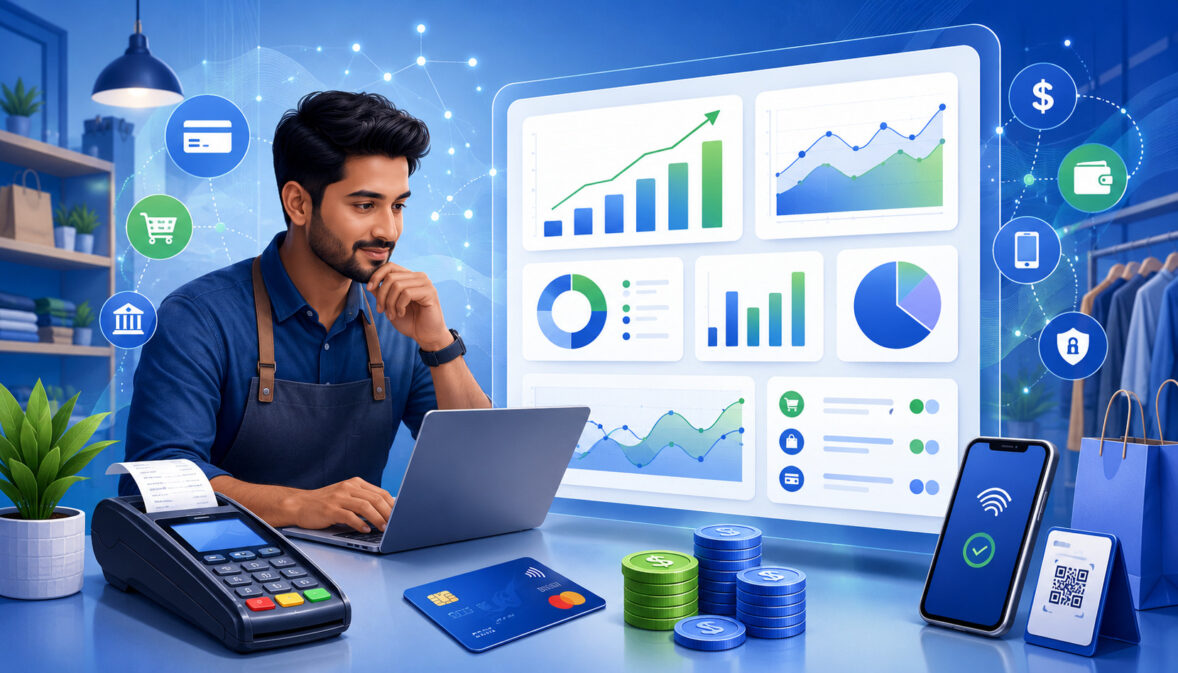
Payment analytics for merchants is the practice of turning everyday payment activity into useful business insight. Every card payment, digital wallet transaction, online checkout, invoice payment, subscription charge, refund, chargeback, failed payment, and bank deposit creates data.
When merchants review that data carefully, it can reveal what is selling, how customers prefer to pay, where payments fail, when funds arrive, how much processing costs, and which operational issues need attention.
For many businesses, payment reports are treated as records that only matter when the accountant asks for them. That approach leaves valuable information unused.
Payment data analytics can help merchants understand sales trends, payment success rate, decline rate, refund activity, chargeback risk, settlement timing, deposit matching, and customer behavior.
A small retailer may use payment reporting to compare in-store card payments with digital wallet usage. A restaurant may review batch reports, tips, refunds, and voids. An eCommerce seller may study payment gateway analytics to understand checkout failures.
A subscription business may rely on payment failure analysis to recover failed recurring billing attempts. Finance teams may use settlement analytics and payment reconciliation analytics to match gross sales with net bank deposits.
The goal is not to make payment operations complicated. The goal is to make payment data easier to use. When payment analytics is reviewed consistently, merchants can make better decisions about cash flow, checkout design, cost management, fraud prevention, customer experience, and long-term payment infrastructure.
What Payment Analytics for Merchants Means
Payment analytics for merchants means collecting, organizing, reviewing, and interpreting payment transaction data so a business can understand how payments are performing.
It includes sales volume, transaction count, average ticket size, authorization rate, decline rate, payment method mix, settlement timing, refunds, chargebacks, processing fees, failed payments, and reconciliation exceptions.
In practical terms, payment analytics answers questions such as: How much did the business process today? Which payment methods did customers use? How many payments failed? Did the settled deposits match the batch reports? Are refunds increasing? Are chargebacks coming from a specific product, location, or sales channel? Are payment costs rising faster than sales?
Payment analytics is not only for large organizations with advanced business intelligence teams. Small businesses can also use basic merchant payment reporting from POS systems, payment gateways, merchant statements, accounting records, and bank statements.
Even a simple weekly review of transaction volume, payment success rate, refunds, chargebacks, and deposits can uncover useful patterns.
Merchant payment analytics can also connect payment operations with broader business decisions. For example, if mobile wallet usage is increasing, the business may improve its mobile checkout experience.
If online payment declines are unusually high, the business may review billing fields, fraud filters, expired cards, or retry logic. If net deposits are difficult to match with sales, the finance team may improve reconciliation procedures.
Why Merchant Payment Analytics Matters
Merchant payment analytics matters because payment data is more than a record of completed sales. It is a window into revenue quality, operational efficiency, customer friction, cash flow timing, and payment risk.
A business may have strong sales on the surface but still lose money through avoidable declines, high refund rates, frequent disputes, confusing deposits, or rising processing costs.
Payment reporting helps merchants identify problems early. A sudden increase in decline rate may signal expired cards, gateway errors, fraud filter problems, or checkout friction.
A rise in refund analytics may point to product issues, unclear service expectations, shipping delays, duplicate transactions, or customer dissatisfaction. A growing chargeback rate may reveal documentation gaps, billing descriptor confusion, fulfillment problems, or fraud exposure.
Payment processing analytics also helps merchants understand cost. Not every transaction costs the same. Card-present payments, card-not-present transactions, rewards cards, commercial cards, digital wallets, ACH payments, keyed payments, and international cards may carry different costs and risk profiles.
By reviewing payment method analytics and effective rate, merchants can see how transaction mix affects total processing fees.
Payment insights also support planning. If settlement reports show that deposits arrive later after weekends, holidays, batch cutoffs, refunds, chargebacks, or risk reviews, the business can plan cash flow with fewer surprises.
If transaction count rises during specific hours, managers can adjust staffing. If average ticket size changes, pricing, promotions, inventory, and margin decisions may need review.
Most importantly, payment analytics turns payment data into action. It helps merchants move from “payments happened” to “payments are telling us something useful.”
Key Payment Data Merchants Should Track

Merchants do not need to track every possible data point at once. The best approach is to focus on payment data that affects revenue, costs, cash flow, customer experience, and reconciliation.
The most useful payment transaction data usually comes from POS reports, payment gateway reports, merchant statements, batch reports, refund logs, chargeback notices, accounting software, and bank deposits.
A strong payment reporting process should separate gross sales from net deposits, approved payments from failed attempts, refunds from chargebacks, and transaction fees from other operating costs.
This separation matters because each category tells a different story. Gross sales show sales activity, while net deposits show actual cash received after fees, refunds, and adjustments.
Transaction Volume
Transaction volume shows the total value of payments processed during a selected period. A merchant may track transaction volume daily, weekly, monthly, by location, by payment method, by sales channel, or by product category.
This metric is one of the most important starting points for payment analytics because it connects directly to revenue reporting and cash flow planning.
Transaction volume helps merchants compare sales activity across different periods. A retailer may compare weekday and weekend volume. A restaurant may compare lunch and dinner payment volume.
An eCommerce seller may compare online payment volume before and after a checkout change. A service business may compare invoice payment volume across customer segments.
Transaction volume also matters when reviewing processing fees. Many fee structures depend partly on total card sales, transaction type, and payment method mix. If sales volume increases but net deposits do not rise proportionally, the business may need to review refunds, chargebacks, processing fees, delayed settlements, or batch timing.
Transaction Count
Transaction count measures how many payment transactions occurred during a period. This is different from transaction volume. A business can have a high transaction count with small tickets or a lower transaction count with larger tickets. Both patterns affect operations, fees, staffing, and customer service.
Transaction count helps merchants understand order frequency and payment system usage. A coffee shop may process hundreds of small card payments per day. A professional service business may process fewer payments but at much higher average ticket sizes. A subscription business may see a predictable transaction count based on billing cycles.
Transaction count also affects processing costs when per-transaction fees apply. A fixed cents-per-transaction fee can be more significant for low-ticket purchases than for high-ticket sales. By reviewing both transaction count and average ticket size, merchants can better understand their true payment cost structure.
For POS payments, transaction count can help managers evaluate rush periods, register activity, cashier workload, and customer flow. For online payments, transaction count can be compared with checkout visits, approved payments, failed attempts, and abandoned payment sessions.
Average Ticket Size
Average ticket size shows the average value of each completed transaction. It is calculated by dividing total payment volume by transaction count. This metric helps merchants understand customer spending patterns, pricing behavior, and fee impact.
Average ticket size is useful because payment costs often include both percentage-based and fixed per-transaction fees. A small fixed fee may be minor on a large ticket but more noticeable on a low-ticket transaction. For this reason, merchants with many small payments should pay close attention to how transaction count and fee structure interact.
Average ticket size can also reveal business trends. If the average ticket size increases, customers may be buying more per order, choosing higher-value items, or responding to bundled offers. If it decreases, customers may be buying less, using smaller digital payments, or shifting toward lower-cost products or services.
For restaurants, average ticket size may vary by dine-in, takeout, delivery, split checks, tips, and online ordering. For eCommerce, it may vary by device type, payment method, promotional campaign, or customer segment. For service businesses, it may help compare deposits, final invoices, recurring billing, and one-time payments.
Payment Method Mix
Payment method mix shows which payment options customers use. This may include credit cards, debit cards, digital wallets, ACH payments, invoice payments, payment links, cash, gift cards, recurring payments, and mobile payments.
Tracking payment method analytics helps merchants understand customer preferences, cost patterns, checkout behavior, and operational needs.
A growing share of digital wallets may indicate that customers prefer faster mobile checkout. A rise in ACH payments may suggest that invoices, subscriptions, or larger transactions are moving toward bank-based payments. A high share of card-not-present payments may increase the need for fraud controls, accurate billing details, and strong gateway reporting.
Payment method mix also affects costs. Different payment methods may have different fee structures, settlement timing, refund handling, fraud exposure, and reconciliation requirements. Merchants should not evaluate payment methods by cost alone. Convenience, customer preference, approval rate, settlement speed, security, and operational fit also matter.
Authorization and Approval Data
Authorization and approval data shows what happens when customers attempt to pay. It includes approved payments, declined payments, retried payments, abandoned attempts, fraud reviews, gateway errors, and response patterns. This information is central to payment decline analytics and payment success rate analysis.
Authorization rate shows how often payment attempts are approved. Decline rate shows how often payment attempts fail. Some declines are unavoidable, such as a closed account or invalid card. Others may be avoidable, such as expired saved cards, incorrect billing details, overly strict fraud settings, payment page errors, or retry timing problems.
For online payments and subscriptions, authorization data is especially important. A subscription business may lose recurring revenue if failed payments are not retried properly.
An eCommerce business may lose checkout conversions if customers see confusing payment errors. A service business may experience delayed cash flow if invoice payments fail and are not followed up quickly.
Merchants should review authorization data regularly, especially when payment success rate changes unexpectedly. Even small improvements in avoidable declines can improve revenue recovery and customer experience.
Settlement and Deposit Data
Settlement and deposit data helps merchants connect approved transactions with actual bank deposits. A transaction may be approved at checkout, but that does not always mean the funds arrive immediately.
Settlement reports, batch reports, processor funding reports, refund logs, chargeback records, and bank statements all help explain the path from sale to deposit.
Settlement analytics is important because merchants often compare sales reports with bank deposits and wonder why the numbers differ. Deposits may be lower than gross sales because processing fees, refunds, chargebacks, adjustments, tips, batch timing, reserves, or funding schedules affect the final amount.
Deposit tracking also supports cash flow visibility. If a merchant knows which batches have settled, which deposits are pending, and which transactions are delayed, finance teams can plan more accurately.
For multi-location businesses, settlement reporting can also help compare deposits by store, register, sales channel, or merchant account.
Payment Analytics Metrics Every Merchant Should Know

Payment analytics metrics help merchants measure payment performance in a structured way. Instead of reviewing reports only when something goes wrong, merchants can use a small set of recurring metrics to spot trends early.
| Metric | What It Measures | Why It Matters | How Merchants Can Use It |
| Transaction volume | Total value of processed payments | Shows revenue activity and payment growth | Compare sales trends by day, channel, location, or payment method |
| Transaction count | Number of payment transactions | Shows order frequency and payment activity | Review staffing needs, checkout usage, and fee impact |
| Average ticket size | Average value per transaction | Shows customer spending patterns | Compare margins, pricing, promotions, and transaction costs |
| Payment success rate | Approved payments divided by total attempts | Shows how effectively customers complete payment | Improve checkout, retries, saved payment updates, and payment options |
| Decline rate | Declined payments divided by total attempts | Highlights failed payment problems | Investigate expired cards, billing errors, fraud filters, and gateway issues |
| Chargeback rate | Chargebacks compared with total transactions or sales | Shows dispute risk | Review documentation, fulfillment, descriptors, and customer service |
| Refund rate | Refunds compared with total sales | Shows return or dissatisfaction patterns | Improve product descriptions, service delivery, policies, and support |
| Payment method mix | Share of sales by payment type | Shows customer preference and cost patterns | Optimize checkout options and review method-level costs |
| Settlement timing | Time between transaction, batch, and deposit | Shows funding visibility | Plan cash flow and identify delayed deposits |
| Effective rate | Total processing fees divided by card sales | Shows true payment cost percentage | Compare costs over time and review statement changes |
| Failed payment recovery | Failed payments later collected | Shows recovery effectiveness | Improve dunning, retries, billing updates, and follow-up |
| Reconciliation exceptions | Mismatches between reports and deposits | Shows reporting or funding gaps | Investigate missing deposits, duplicate transactions, and fee issues |
These metrics are most useful when reviewed together. For example, payment success rate without decline reasons may not explain the problem. Transaction volume without refund rate may overstate revenue quality.
Gross sales without settlement data may not show available cash. Effective rate without payment method mix may not explain why costs changed.
How Payment Analytics Supports Cash Flow Visibility

Cash flow visibility depends on knowing when money is expected, when it has settled, and why deposits may differ from sales. Payment analytics supports this by connecting transaction data, batch reports, settlement reports, refund activity, chargebacks, processing fees, and bank deposits.
A merchant may process a large amount in card payments on one day, but the bank deposit may arrive later and may be net of fees or adjustments. If the business does not understand settlement timing, it may overestimate available cash. This can create problems for payroll, inventory purchases, rent, supplier payments, and tax planning.
Payment reconciliation analytics helps merchants identify the difference between payment activity and cash received. It also helps explain pending transactions, unsettled batches, refunds issued after the original sale, chargebacks pulled from deposits, and fees deducted before funding.
Tracking Settlements and Deposits
Tracking settlements and deposits means comparing approved transaction batches with the amounts that actually arrive in the bank account. This process helps merchants understand whether funding is complete, delayed, adjusted, or mismatched.
A typical review may include POS sales totals, gateway reports, batch reports, processor funding reports, refund logs, chargeback reports, fee summaries, and bank statement deposits. The goal is to connect each deposit to the transactions behind it.
For example, a business may process several batches in one day across multiple registers or locations. Those batches may settle separately or combine into one deposit. Refunds and fees may reduce the deposit.
Chargebacks may create additional adjustments. Without settlement analytics, the finance team may spend unnecessary time trying to explain differences.
Understanding Payment Delays
Approved transactions may not deposit immediately. Payment delays can happen because of batch cutoff times, weekends, holidays, bank processing schedules, risk reviews, delayed capture, refund activity, chargebacks, or funding rules. Online payments, invoice payments, card-not-present transactions, and higher-risk activity may also require closer review.
A payment dashboard can help merchants see whether delays are normal or unusual. For example, if deposits always take longer after late batch closures, the business may adjust batch procedures.
If a specific location has frequent funding delays, managers can review terminal settlement settings. If online payments are stuck in review, the business may need to examine fraud rules or order verification procedures.
Payment delays are not always errors. The key is to know which delays are expected and which require investigation.
Matching Gross Sales to Net Deposits
Gross sales and net deposits are often different. Gross sales show the total transaction amount before deductions. Net deposits show the amount that actually reaches the bank after fees, refunds, chargebacks, tips, adjustments, holds, reserves, or batch timing differences.
This difference is one of the most common sources of confusion in merchant payment reporting. A merchant may see strong sales in the POS system but a lower bank deposit. That does not automatically mean money is missing. It may mean the deposit was reduced by processing fees, refunds, chargebacks, or delayed settlement.
Accurate reconciliation requires separating each item. Refunds should be reviewed separately from chargebacks. Processing fees should be separated from sales. Tips should be tracked carefully for restaurants and service businesses. Adjustments should be documented. When each category is clear, cash flow reporting becomes more reliable.
Payment Analytics and Reconciliation
Payment analytics supports reconciliation by helping merchants compare payment records across systems. These systems may include POS reports, payment gateway analytics, merchant statements, batch reports, refund logs, chargeback reports, fee reports, accounting records, and bank statements.
Reconciliation is the process of confirming that payment activity matches financial records. It helps catch missing deposits, duplicate transactions, incorrect refunds, unexpected fees, chargeback deductions, reporting gaps, and timing differences. Without regular reconciliation, small errors can pile up and become harder to resolve.
Payment reconciliation analytics is especially important for businesses with multiple channels. A merchant may accept POS payments, online payments, invoice payments, payment links, recurring billing, and mobile payments.
Each channel may generate separate reports. Analytics helps bring these records together so finance and operations teams can understand the full payment picture.
Daily Reconciliation
Daily reconciliation helps merchants catch problems before they become larger issues. At the end of the day, a business can compare POS totals, gateway totals, refunds, voids, batch reports, cash totals, and expected deposits. This is especially useful for retailers, restaurants, and businesses with high transaction count.
A daily review does not need to be complicated. The merchant can confirm whether batches were closed, refunds were approved properly, voids were documented, tips were adjusted correctly, and payment totals look reasonable. If a batch is missing or a deposit appears unusual, the team can investigate while the details are still fresh.
Daily reconciliation also supports better staff accountability. Managers can review register activity, cashier reports, discounts, voids, refunds, and payment exceptions without waiting until month-end.
Weekly or Monthly Reconciliation
Weekly or monthly reconciliation gives merchants a broader view of trends. It helps identify whether processing costs are rising, chargebacks are increasing, settlement delays are becoming more common, or payment method mix is changing.
A monthly review should include merchant statements, total processing fees, effective rate, refund rate, chargeback rate, payment method mix, settlement exceptions, and bank deposit matching. Finance teams can also compare payment reports with accounting entries to ensure revenue reporting is accurate.
For small businesses, a monthly review may be enough if transaction volume is low. For higher-volume businesses, daily and weekly reviews are safer. The right schedule depends on transaction count, sales channels, staffing, risk level, and the complexity of payment operations.
Payment Decline Analytics
Payment decline analytics helps merchants understand why payment attempts fail. Declines matter because every failed payment can become lost revenue, delayed cash flow, customer frustration, or extra support work.
While not every decline can be prevented, many decline patterns can be reduced through better checkout design, billing updates, retry logic, and payment options.
Declines may be hard declines or soft declines. A hard decline usually means the payment should not be retried without updated payment information.
A soft decline may be temporary, such as insufficient funds, issuer timeout, suspected fraud review, or system availability issues. Merchants do not need to memorize every technical response code, but they should understand broad decline categories.
Payment failure analysis is especially valuable for subscription payments, online payments, invoice payments, and card-on-file billing. If a customer’s saved card expires, the transaction may fail until the payment method is updated.
If a gateway error appears during checkout, customers may abandon the order. If fraud filters are too strict, legitimate customers may be blocked.
Common Reasons Payments Decline
Payments can decline for many reasons. Some are related to the customer’s card or bank account. Others are related to merchant settings, gateway configuration, fraud screening, billing data, or technical errors.
Common causes include:
- Insufficient funds or credit limit issues
- Expired card details
- Incorrect card number, expiration date, or security code
- Billing address mismatch
- Suspected fraud or unusual activity
- Card not enabled for the transaction type
- Gateway timeout or communication error
- Duplicate payment attempt
- Issuer decline without detailed explanation
- Card-on-file credentials that need updating
Merchants should avoid assuming every decline means the customer did something wrong. Sometimes the payment experience itself creates friction. A confusing form, missing wallet option, strict address validation, or unclear error message can cause avoidable failures.
How Decline Data Improves Checkout
Decline data can help merchants improve checkout completion. If many customers fail at the payment page, the business can review form design, payment method options, error messages, mobile checkout performance, and gateway logs. If many card-on-file payments fail, the business can improve reminder emails, account update prompts, and retry schedules.
For subscription businesses, payment retries should be handled carefully. Retrying too often may frustrate customers or create risk concerns. Retrying too little may reduce recovery. Payment analytics can help identify the timing and approach that recovers revenue without creating unnecessary friction.
Chargeback Analytics for Merchants
Chargeback analytics helps merchants understand dispute patterns. A chargeback happens when a customer disputes a payment through the card issuer. It may involve fraud claims, non-receipt, product dissatisfaction, duplicate billing, cancellation issues, refund delays, or unclear billing descriptors.
Chargeback analytics should include dispute reason, product or service involved, transaction amount, sales channel, payment method, customer history, fulfillment status, refund history, and documentation available. This information helps merchants identify whether disputes are random, operational, fraud-related, or connected to specific business practices.
Chargebacks affect more than revenue. They can create fees, administrative work, inventory loss, service loss, cash flow disruption, and risk concerns. Analytics does not eliminate chargebacks, but it can help merchants reduce avoidable disputes and prepare stronger responses when disputes occur.
Tracking Chargeback Rate
Chargeback rate measures chargebacks compared with total transactions or sales. The exact calculation used may vary depending on reporting method, but the purpose is the same: to understand dispute frequency.
Merchants should track chargeback rate over time and by sales channel. A single chargeback may not reveal much. A pattern of chargebacks from a specific product, location, marketing campaign, delivery method, or billing model may reveal an operational issue.
A rising chargeback rate should prompt review. Merchants may need to examine billing descriptors, refund policies, customer support response time, delivery proof, product descriptions, fraud controls, and staff training.
Finding Chargeback Patterns
Chargeback patterns often appear when data is segmented. A merchant may discover that disputes are higher for online orders than in-store purchases, higher for a specific product category, higher after delayed shipping, or higher when customers do not recognize the billing descriptor.
Patterns may also appear by transaction size, card-not-present activity, subscription billing, customer location, sales representative, or fulfillment method. Multi-location businesses should compare chargeback activity by store. eCommerce businesses should compare disputes by traffic source, product type, delivery method, and payment method.
The goal is not to blame one team automatically. The goal is to identify where customers are confused, where fraud exposure is higher, or where documentation is weak.
Using Analytics to Improve Documentation
Good documentation can help merchants manage disputes more effectively. Useful records may include order confirmations, receipts, signed agreements, delivery proof, shipment tracking, refund logs, customer messages, service notes, cancellation records, and terms accepted at checkout.
Chargeback analytics can show which documents are often missing. For example, if disputes frequently involve “product not received,” delivery confirmation may need improvement.
If disputes involve recurring billing, merchants may need clearer authorization records and cancellation logs. If disputes involve customer confusion, billing descriptors and confirmation emails may need review.
Refund Analytics and Customer Experience
Refund analytics helps merchants understand why money is being returned to customers. Refunds are not the same as chargebacks. A refund is usually initiated by the merchant, while a chargeback is initiated through the customer’s card issuer. Both affect revenue and cash flow, but they require different analysis.
Refund rate can reveal customer dissatisfaction, product quality issues, unclear descriptions, shipping delays, duplicate transactions, service problems, billing mistakes, or policy confusion. A business with growing sales may still have weak revenue quality if refunds are rising at the same time.
Merchants should track refund amount, refund count, refund reason, original sale date, refund date, product or service, sales channel, employee approval, and customer history. This helps separate normal returns from avoidable problems.
Tracking Refund Reasons
Tracking refund reasons helps merchants move beyond the total refund number. A refund because of a duplicate transaction is different from a refund because of poor product quality. A refund due to delayed delivery is different from a refund due to customer cancellation.
Useful refund reason categories may include:
- Product returned
- Service cancellation
- Duplicate transaction
- Incorrect amount charged
- Customer dissatisfaction
- Shipping or fulfillment delay
- Item unavailable
- Billing error
- Fraud concern
- Goodwill adjustment
Over time, refund reason tracking helps merchants improve operations. Product descriptions may need updates. Staff may need better training. Checkout confirmation may need improvement. Subscription cancellation instructions may need to be clearer.
Refunds and Cash Flow
Refunds affect cash flow because they reduce net revenue and may appear in payment reports separately from the original sale. Depending on timing, a refund may reduce a future deposit rather than the deposit related to the original transaction. This can make reconciliation confusing.
For example, a sale may settle in one batch, but the refund may be deducted from a later deposit. If finance teams only compare daily sales with daily deposits, they may miss this timing difference. Settlement analytics and refund analytics help explain why a deposit is lower than expected.
Refunds can also affect processing costs. Some fees may not be returned when a transaction is refunded, depending on the payment arrangement. Merchants should review statements and fee reports to understand how refunds affect total cost.
Payment Cost Analytics
Payment cost analytics helps merchants understand what they pay to accept electronic payments. These costs may include interchange fees, assessment fees, processor markup, gateway fees, chargeback fees, refund fees, monthly fees, batch fees, compliance-related fees, equipment fees, and other service charges.
Payment processing fees often include several layers, including interchange, assessment charges, and processor markup. Merchants reviewing these cost layers can better understand how pricing models, transaction methods, and payment types affect total cost. A deeper explanation of payment processing fees can support this review.
Cost analytics is not about choosing the cheapest option without context. A payment method with a lower cost may not always be the best fit if it creates friction, slower funding, more manual work, or lower customer adoption. Merchants should compare cost with convenience, speed, security, approval rate, customer preference, and operational impact.
Effective Rate
Effective rate is a simple way to understand total payment cost. It is calculated by dividing total processing fees by total card sales. For example, if a merchant pays total fees equal to a small percentage of card sales, that percentage is the effective rate.
Effective rate is useful because it looks beyond headline rates. A merchant may see a low advertised percentage but still pay more after transaction fees, monthly fees, gateway charges, chargeback fees, batch fees, and other costs are included. Effective rate helps combine those charges into one easier comparison point.
Merchants should review effective rate monthly and compare it with transaction mix. If effective rate rises, possible causes include more card-not-present sales, more rewards cards, higher gateway fees, more chargebacks, more refunds, lower average ticket size, or new recurring fees.
Cost by Payment Method
Different payment methods may carry different costs and operational tradeoffs. Card payments may offer convenience and broad customer acceptance. Digital wallets may support faster mobile checkout.
ACH payments may be useful for invoices, subscriptions, and larger transactions. Payment links may simplify remote payments. Cash may avoid processing fees but create handling and security concerns.
Payment method analytics helps merchants compare cost by method. The review should include direct fees, settlement timing, reconciliation effort, customer adoption, fraud exposure, refund handling, and support workload.
A merchant should not force customers into one payment method only because it appears cheaper. The better approach is to understand how payment method mix affects total business performance.
Statement Review
Monthly statement review is an important part of payment cost analytics. A payment dashboard may show transaction performance, but merchant statements often show detailed fee categories, pricing changes, chargeback fees, gateway fees, and other charges.
Merchants should compare dashboard data with statements to confirm that sales volume, transaction count, refunds, chargebacks, and fees make sense. If fees increase suddenly, the business should investigate the cause instead of assuming the change is normal.
Payment Method Analytics
Payment method analytics shows how customers choose to pay. This includes cards, digital wallets, ACH payments, invoice payments, payment links, recurring payments, mobile payments, and POS payments. Understanding payment method mix helps merchants design better checkout experiences, manage costs, and support customer expectations.
For in-person merchants, payment method analytics may show whether customers prefer tap-to-pay, chip cards, debit cards, credit cards, digital wallets, or cash.
For online merchants, it may show whether customers complete checkout more often when wallet options are available. For service businesses, it may show whether customers pay faster through invoice links or saved payment methods.
Payment method analytics also supports risk review. Card-not-present payments may require stronger fraud controls than in-person transactions. ACH payments may require return monitoring. Recurring payments may require failed payment recovery processes.
Digital Wallet Usage
Digital wallet usage can indicate mobile checkout preferences and customer demand for faster payment experiences. When wallet usage increases, it may mean customers want fewer form fields, quicker checkout, and more convenient payment confirmation.
For eCommerce businesses, digital wallet analytics can be compared with checkout conversion, payment success rate, device type, and cart abandonment. If mobile users complete payment more often with wallet options, the merchant may prioritize mobile-friendly checkout design.
For in-person businesses, wallet usage can show customer preference for contactless payments. Retailers, restaurants, and service counters can use this information to improve checkout speed and reduce friction during busy periods.
Card Payment Trends
Card payment trends can reveal cost and risk patterns. Credit cards, debit cards, rewards cards, commercial cards, card-present transactions, keyed transactions, and card-not-present payments may all behave differently.
A merchant may notice that commercial cards are common in B2B payments, rewards cards are frequent in retail, or card-not-present transactions are rising through online sales. These patterns can affect processing fees, fraud controls, authorization rates, and chargeback exposure.
Card payment analytics should also include authorization rate, decline rate, refund rate, chargeback rate, and average ticket size by card payment channel. This helps merchants see not only how customers pay but also how well each payment flow performs.
ACH and Bank Payment Trends
ACH payments and bank-based payments can be useful for invoices, subscriptions, larger transactions, and recurring billing, depending on the business model. They may offer different cost structures and settlement timelines than card payments.
ACH analytics should track payment volume, return rate, settlement timing, customer adoption, failed payment reasons, and reconciliation status. Bank payment returns are not the same as card declines, so merchants should monitor them separately.
For B2B businesses, ACH payments may support larger invoices and predictable payment schedules. For subscription businesses, bank payments may reduce card expiration issues, but they still require clear authorization, accurate account information, and return monitoring.
Payment Gateway Analytics
Payment gateway analytics helps merchants understand online checkout performance. A payment gateway can provide data on authorization attempts, approved payments, failed payments, fraud reviews, payment retries, digital wallet usage, hosted checkout activity, embedded checkout behavior, and payment page errors.
For businesses that accept online payments, gateway analytics is often one of the most important sources of payment insight. It can show whether customers reach checkout but fail to complete payment. It can reveal whether declines come from issuer responses, billing errors, gateway errors, fraud filters, or technical issues.
Gateway analytics also supports security and operational review. Merchants can examine fraud rule outcomes, duplicate attempts, unusual transaction patterns, and error logs. Businesses reviewing online payment risk may also benefit from understanding payment gateway security features.
Checkout Conversion and Payment Success
Checkout conversion measures how many customers complete payment after reaching checkout. Payment success rate measures how many payment attempts are approved. These metrics are related but not identical.
A customer may abandon checkout before attempting payment. Another customer may attempt payment but receive a decline. Another may fail because of a form error or timeout. Payment gateway analytics helps separate these outcomes.
Merchants can compare payment success by device type, payment method, billing country, cart value, customer type, and checkout version. This can reveal whether mobile checkout is underperforming, whether a payment method has a high failure rate, or whether gateway settings are creating friction.
Gateway Error Tracking
Gateway error tracking helps merchants identify technical payment issues. These may include failed API calls, timeout errors, duplicate attempts, payment form errors, tokenization problems, webhook failures, fraud tool errors, and communication problems between checkout software and the processor.
Not every gateway error is visible to the customer in a clear way. A customer may simply see that payment failed and leave. That is why merchants should review error logs, not just completed orders.
If gateway errors increase after a website update, software integration change, or checkout redesign, the business should investigate quickly. Technical payment issues can directly reduce revenue and damage customer trust.
POS Payment Analytics
POS payment analytics helps in-person businesses understand transaction trends at the register, table, counter, kiosk, or mobile checkout point. It can include payment method mix, cashier activity, refund patterns, voids, tips, discounts, batch reports, settlement timing, and location-level reporting.
Retailers can use POS analytics to compare sales by register, shift, location, product category, and payment method. Restaurants can use it to track tips, split payments, voids, refunds, online ordering, and batch settlement. Service businesses can use mobile POS analytics to review field payments, deposits, and customer invoices.
POS payment analytics is especially useful because in-person payments involve both payment activity and staff workflow. A high number of voids, refunds, manual entries, or delayed batches may point to training needs or process issues.
Location-Level Payment Reports
Location-level payment reports help multi-location merchants compare transaction volume, refunds, payment methods, settlement activity, and chargebacks by location. This is important because each location may have different customer behavior, staffing patterns, equipment, and operational habits.
A location with higher refund activity may have inventory, training, or customer service issues. A location with delayed batches may need closing procedure review. A location with high digital wallet usage may serve a more mobile-first customer base.
Location-level reporting also helps finance teams match deposits to the correct store or merchant account. Without this visibility, multi-location reconciliation can become time-consuming.
Employee and Register Reports
Employee and register reports can help managers review transaction activity by shift, register, or employee role where appropriate. These reports may include sales totals, refunds, voids, discounts, tips, cash drawer activity, and payment exceptions.
The purpose is not to create unnecessary surveillance. The purpose is to improve accuracy, training, and accountability. If one register has repeated payment errors, it may need hardware review.
If one shift has unusual voids, managers may need to review procedures. If tips do not match settlement reports, restaurant teams may need to check adjustment workflows.
Payment Analytics for Different Business Types
Payment analytics needs vary by business model. A retailer, restaurant, eCommerce business, service provider, subscription company, B2B merchant, and multi-location operation may all track the same core metrics, but they will use them differently.
The best payment dashboard is one that reflects how the business actually gets paid. A restaurant needs tip and batch visibility. An online seller needs gateway analytics and decline analysis.
A subscription business needs failed payment recovery. A B2B business needs invoice and ACH tracking. A multi-location business needs location-level reporting.
Retail Stores
Retail stores can use payment analytics to track transaction volume, transaction count, average ticket size, card mix, digital wallet usage, refunds, chargebacks, and store-level deposits. POS payments are often central to retail reporting, but online orders, curbside pickup, gift cards, and returns may also affect the payment picture.
Retailers should pay attention to refund reasons, payment method mix, and average ticket size. These metrics can reveal customer behavior, product return issues, and payment cost patterns. Store managers can also review daily batches and deposits to make sure POS activity matches funding reports.
Restaurants and Food Businesses
Restaurants and food businesses often need payment analytics for tips, split payments, tabs, voids, discounts, refunds, online ordering, delivery payments, and batch settlement. Because restaurant payment flows can include tip adjustments after authorization, settlement reports may require careful review.
Analytics can help restaurants compare dine-in, takeout, catering, online ordering, and delivery payment activity. It can also help identify unusual refund patterns, high void activity, delayed batches, or chargebacks related to delivery and order disputes.
eCommerce Businesses
eCommerce businesses rely heavily on payment gateway analytics. They should track checkout conversion, payment success rate, decline rate, gateway errors, fraud reviews, chargebacks, refunds, digital wallet usage, and payment method performance.
Online sellers should also compare payment analytics with website analytics. If many customers reach checkout but do not complete payment, the issue may involve payment options, mobile experience, billing fields, trust signals, shipping costs, or gateway errors.
Service Businesses
Service businesses may accept invoices, deposits, payment links, card-on-file payments, mobile payments, and recurring customer billing. Payment analytics helps them track invoice payment speed, failed payments, partial payments, deposits, refunds, and customer payment preferences.
A service business can use payment reporting to identify which customers pay fastest, which invoice methods work best, and whether payment links improve collection speed. It can also review refund and dispute activity related to service expectations, contracts, and documentation.
Subscription Businesses
Subscription businesses need strong recurring billing analytics. Important metrics include recurring payment success rate, failed payment rate, retry recovery, churn related to payment failure, refund activity, chargeback activity, and saved payment update rates.
Failed subscription payments may happen because of expired cards, insufficient funds, closed accounts, fraud flags, or billing confusion. Payment analytics helps subscription teams recover revenue, improve customer notices, and reduce involuntary churn.
B2B Businesses
B2B businesses often process invoices, ACH payments, commercial card transactions, larger ticket sizes, deposits, recurring retainers, and milestone payments. Payment analytics helps them review payment timing, method costs, settlement delays, and reconciliation accuracy.
Because B2B ticket sizes may be higher, payment costs and settlement timing can have a meaningful cash flow impact. Businesses may compare ACH, card, invoice, and bank payment trends to understand cost, convenience, and customer preference.
Multi-Location Businesses
Multi-location businesses need payment analytics by location, staff role, sales channel, register, batch, and deposit. A combined report may show total performance, but location-level reporting reveals where problems or opportunities exist.
A multi-location merchant may compare refund rates, chargebacks, digital wallet usage, average ticket size, settlement timing, and effective rate by store. This helps managers identify training needs, equipment issues, customer behavior differences, and operational improvements.
Payment Analytics Dashboard Checklist
A useful payment dashboard should show the metrics that matter most to daily operations, finance, and management. It should be easy to review regularly and detailed enough to support investigation when something looks unusual.
| Dashboard Item | Why It Matters | Review Frequency |
| Transaction volume | Shows total payment activity | Daily or weekly |
| Transaction count | Shows number of payments processed | Daily or weekly |
| Average ticket size | Shows spending pattern per transaction | Weekly or monthly |
| Payment success rate | Shows approval performance | Daily or weekly |
| Decline rate | Highlights failed payment issues | Daily or weekly |
| Refund rate | Shows return or dissatisfaction patterns | Weekly or monthly |
| Chargeback rate | Shows dispute risk | Weekly or monthly |
| Payment method mix | Shows customer payment preferences | Monthly |
| Effective rate | Shows total processing cost percentage | Monthly |
| Settlement status | Shows whether batches are funded | Daily |
| Deposit tracking | Helps match bank deposits to batches | Daily or weekly |
| Failed payments | Supports recovery and follow-up | Daily or weekly |
| Reconciliation exceptions | Highlights mismatches and reporting gaps | Daily, weekly, or monthly |
The dashboard should not only show numbers. It should help teams ask better questions. Why did decline rate rise? Why is one location showing more refunds? Why did effective rate increase? Why did deposits not match batch totals? Why did mobile wallet usage increase? These questions turn payment reporting tools into business intelligence.
How to Build a Simple Payment Analytics Workflow
A simple payment analytics workflow helps merchants review payment performance without getting overwhelmed. The workflow should be repeatable, reliable, and connected to action.
It should include collecting reports, reviewing daily transactions, checking declined payments, matching settlements, reviewing refunds, monitoring chargebacks, calculating effective rate, comparing payment methods, and sharing insights with finance or operations teams.
The best workflow depends on transaction volume and business complexity. A small service business may review payment reports weekly. A restaurant may review batches daily. A subscription business may monitor failed payments every day. An eCommerce merchant may review gateway errors and decline rate after any checkout change.
Step One: Collect Reliable Payment Data
The first step is to collect reliable payment data from consistent sources. These sources may include POS reports, payment gateway reports, processor statements, settlement reports, refund logs, chargeback reports, accounting records, and bank statements.
Merchants should avoid mixing incomplete reports. For example, a POS report may show sales, while a gateway report may show authorization attempts, and a bank statement may show net deposits. Each report has a different purpose. Reliable payment analytics depends on knowing what each report includes and excludes.
Data accuracy matters. If refunds are entered inconsistently, if chargebacks are not recorded, or if deposits are not matched to batches, analytics will be misleading.
Step Two: Review Key Metrics Regularly
The second step is reviewing key metrics on a schedule. Daily metrics may include transaction volume, batch status, refunds, voids, and failed payments. Weekly metrics may include decline rate, payment success rate, refund reasons, and settlement exceptions. Monthly metrics may include effective rate, chargeback rate, payment method mix, and statement review.
The review schedule should match the business. High-volume merchants need more frequent review. Lower-volume businesses may review less often but should still maintain consistency.
Regular review helps merchants spot unusual changes early. It is easier to investigate a payment issue when it happened yesterday than when it happened weeks ago.
Step Three: Investigate Unusual Changes
The third step is investigating unusual changes. A sudden increase in declines, refunds, chargebacks, payment costs, gateway errors, or settlement delays should not be ignored.
Merchants should ask practical questions. Did the checkout page change? Did a new fraud rule start blocking more payments? Did a product issue lead to returns? Did a batch fail to close? Did processing fees increase because transaction mix changed? Did a new sales channel produce more disputes?
Investigation should focus on facts, not assumptions. Payment reports, customer messages, fulfillment records, gateway logs, and bank deposits should be reviewed together.
Step Four: Turn Insights Into Action
The final step is turning payment insights into action. Analytics only creates value when it leads to better decisions.
Actions may include updating checkout error messages, adding payment options, reviewing fraud filters, changing batch procedures, improving refund reason tracking, training staff, improving billing descriptors, adjusting retry schedules, reviewing processing statements, or improving reconciliation workflows.
Common Payment Analytics Mistakes to Avoid
Payment analytics is helpful, but only when merchants use it carefully. One common mistake is tracking only sales volume. Sales volume matters, but it does not show payment failures, refunds, chargebacks, fees, settlement delays, or customer friction.
Another mistake is ignoring failed payments. Declined and abandoned payments can reveal lost revenue and checkout problems. If merchants only review successful transactions, they miss the payments that never became sales.
Merchants should also avoid mixing refunds and chargebacks together. Refunds and chargebacks both reduce revenue, but they happen for different reasons and require different responses. Refunds may point to customer service or product issues. Chargebacks may point to disputes, fraud claims, billing confusion, or documentation gaps.
Other common mistakes include:
- Overlooking settlement timing
- Failing to calculate effective rate
- Relying on incomplete reports
- Ignoring payment method mix
- Not reconciling deposits
- Reviewing analytics too infrequently
- Treating gateway errors as customer mistakes
- Not documenting refund reasons
- Ignoring location-level differences
- Assuming every decline can be fixed
Payment analytics should be used with judgment. It can reveal patterns, but merchants still need context. A higher refund rate after a seasonal promotion may not mean something is wrong. A lower average ticket size may reflect a successful small-ticket campaign. The key is to interpret data with business context.
Payment Analytics and Fraud Prevention
Payment analytics can support fraud prevention by identifying suspicious transaction patterns. These may include unusual order values, repeated declines, mismatched billing details, duplicate attempts, sudden chargeback spikes, refund abuse indicators, high-risk order patterns, or unusual activity from specific sales channels.
Analytics does not eliminate fraud risk. It helps merchants detect patterns that deserve review. Fraud prevention still requires appropriate security controls, customer verification practices, payment security procedures, staff training, and careful order review.
Merchants handling card data should also understand official payment security expectations through resources such as the PCI standards library.
Payment data can help merchants tune risk controls. If fraud filters are too loose, suspicious transactions may pass through. If they are too strict, legitimate customers may be declined. Payment analytics helps merchants balance risk management with customer experience.
Businesses that accept online, phone, or keyed payments may also review address checks, card security code checks, velocity rules, device signals, and order behavior. An educational guide on using verification checks to reduce fraud can support this type of review.
Payment Analytics and Customer Experience
Payment analytics can reveal customer friction. Customers may abandon checkout because payment options are limited, mobile forms are difficult, payment errors are confusing, or digital wallet choices are missing.
Customers may dispute transactions because billing descriptors are unclear. Subscription customers may churn because failed recurring payments are not handled smoothly.
Payment insights help merchants improve trust and convenience. If wallet usage is high, a business may prioritize faster mobile checkout. If decline rate is high for card-on-file payments, the business may improve saved payment updates.
If refunds are high for a certain product, descriptions or quality control may need attention. If chargebacks involve “unrecognized transaction” claims, billing descriptors and receipts may need improvement.
Customer experience is not separate from payment operations. Payment is often the final step before revenue is earned. A confusing payment experience can damage trust even if the product or service is strong.
Merchants should also review customer support data with payment reports. If customers frequently contact support after failed payments, delayed refunds, duplicate charges, or unclear deposits, payment operations may need improvement.
Payment Analytics and Long-Term Business Strategy
Payment analytics can support long-term business strategy by helping merchants make better decisions about payment methods, cost management, cash flow forecasting, checkout optimization, subscription retention, fraud controls, staff training, sales channel review, and payment infrastructure planning.
A business that sees growing online payment volume may need stronger gateway analytics, better fraud tools, and improved checkout reporting. A business with increasing subscription payments may need better failed payment recovery and recurring billing reports.
A business with rising processing costs may need to review effective rate, payment method mix, and statement details. A multi-location business may need standardized settlement and reconciliation workflows.
Payment analytics also helps businesses evaluate payment infrastructure. Merchants can review whether current reporting tools provide enough visibility, whether accounting integration is reliable, whether deposit matching is too manual, and whether payment reporting tools support the level of growth expected.
Long-term payment strategy should be based on evidence, not guesswork. Useful payment insights show what customers actually do, where payments fail, what costs are changing, and how payment operations affect cash flow.
For additional educational context, merchants can review articles on long-term payment strategy, payment security requirements, and eCommerce payment integration. Merchants reviewing interchange and fee categories can also compare payment cost data with published interchange rate information.
FAQs
What is payment analytics for merchants?
Payment analytics for merchants is the process of reviewing payment transaction data to understand how payments are performing. It includes transaction volume, transaction count, average ticket size, payment method mix, authorization rate, decline rate, refund rate, chargeback rate, settlement timing, processing fees, and reconciliation exceptions.
The purpose is to help merchants make better decisions. Payment analytics can show whether customers are completing checkout, which payment methods they prefer, how often payments fail, when funds settle, and how payment costs affect margins.
Why is merchant payment analytics important?
Merchant payment analytics is important because payment activity affects revenue, cash flow, costs, risk, and customer experience. Without analytics, merchants may not notice avoidable declines, rising refund rates, chargeback patterns, delayed deposits, or expensive transaction types.
Analytics helps businesses move from reactive problem solving to regular payment performance review. It can support better cash flow planning, cleaner reconciliation, improved checkout design, and more informed financial decision-making.
What payment metrics should merchants track?
Merchants should track transaction volume, transaction count, average ticket size, payment success rate, decline rate, refund rate, chargeback rate, payment method mix, settlement timing, failed payment recovery, effective rate, and reconciliation exceptions.
Not every business needs an advanced dashboard at the beginning. A small business can start with a few core metrics and add more as payment volume and reporting needs grow.
What is payment success rate?
Payment success rate measures how many payment attempts are approved compared with total attempts. It helps merchants understand whether customers are successfully completing payments.
A low payment success rate may point to expired cards, insufficient funds, billing detail errors, gateway problems, fraud filter issues, or checkout friction. Merchants should review decline reasons and gateway errors before making changes.
How can merchants use payment decline analytics?
Merchants can use payment decline analytics to identify why payments fail and where revenue may be lost. Decline data can show patterns related to expired cards, incorrect billing details, insufficient funds, fraud reviews, gateway errors, or technical issues.
This information can help merchants improve checkout forms, customer error messages, payment retries, saved payment updates, and alternative payment options. It cannot prevent every decline, but it can reduce avoidable payment failures.
How does payment analytics help with reconciliation?
Payment analytics helps with reconciliation by connecting sales reports, gateway reports, batch reports, refund logs, chargeback reports, fee reports, accounting records, and bank deposits. This makes it easier to explain differences between gross sales and net deposits.
Regular reconciliation helps catch missing deposits, duplicate transactions, incorrect refunds, unexpected fees, settlement delays, and reporting gaps. It also improves confidence in revenue reporting.
What is chargeback analytics?
Chargeback analytics is the review of dispute data to understand why chargebacks happen and where patterns exist. It may include dispute reason, transaction amount, product, sales channel, customer history, fulfillment records, refund activity, and documentation quality.
Chargeback analytics helps merchants identify avoidable disputes, improve customer communication, strengthen documentation, and review fraud exposure. It does not guarantee that disputes will be avoided or won.
How can payment analytics help reduce payment costs?
Payment analytics can help merchants understand payment costs by tracking effective rate, payment method mix, transaction count, average ticket size, fees, refunds, chargebacks, and statement changes. This helps businesses see why processing costs rise or fall.
For example, costs may increase because of more card-not-present transactions, more rewards cards, more chargebacks, lower average ticket size, or additional gateway fees. Analytics helps merchants investigate these causes instead of relying only on headline rates.
What reports are useful for payment data analytics?
Useful reports include POS reports, payment gateway reports, merchant statements, settlement reports, batch reports, deposit reports, refund logs, chargeback reports, fee reports, recurring billing reports, invoice payment reports, and bank statements.
The most useful report set depends on the business model. An eCommerce business may rely heavily on gateway analytics, while a restaurant may need strong POS, tip, batch, and settlement reporting.
Can small businesses use payment analytics?
Yes. Small businesses can use payment analytics even without advanced software. Basic reports from a POS system, payment gateway, processor dashboard, accounting system, and bank account can provide useful insight.
A small business can start by reviewing weekly transaction volume, payment success rate, refunds, chargebacks, payment method mix, deposits, and processing fees. Consistency matters more than complexity.
How often should merchants review payment analytics?
Review frequency depends on transaction volume and business complexity. High-volume merchants, restaurants, subscription businesses, and eCommerce sellers may need daily payment review. Smaller or lower-volume businesses may review key metrics weekly and complete deeper reconciliation monthly.
At minimum, merchants should review payment analytics often enough to catch errors, funding delays, failed payments, refund patterns, and chargeback issues before they become difficult to resolve.
Conclusion
Payment analytics for merchants helps businesses understand what is happening inside their payment operations. It shows more than sales totals. It reveals transaction performance, payment method preferences, approval patterns, declined payments, refunds, chargebacks, settlement timing, processing costs, deposit accuracy, and customer payment behavior.
Useful payment analytics depends on accurate data, consistent payment reporting, careful reconciliation, and practical follow-through. A payment dashboard is only valuable when merchants use it to ask better questions and take informed action.
For small business owners, retailers, restaurants, eCommerce sellers, service businesses, subscription businesses, finance teams, and operations managers, payment analytics can support smarter decisions.
It can improve cash flow visibility, reduce reporting confusion, highlight customer friction, strengthen dispute documentation, reveal cost patterns, and guide long-term payment strategy.
The best approach is to start simple. Track the metrics that matter most, review them regularly, investigate unusual changes, and turn payment insights into operational improvements.
Over time, merchant payment analytics becomes a reliable decision-making tool that helps the business understand not just how customers pay, but how payments affect growth, profitability, risk, and customer experience.